


Best Suki Alternatives: Ambient Documentation in 2026
Suki AI is a well-known ambient documentation platform, but many independent clinicians find it's not designed for their practice. With pricing that often starts around $299 per provider per month and a strong emphasis on enterprise EHR integrations, Suki aligns best with larger healthcare organizations.
For solo clinicians and small group practices, the priorities are often different: getting started quickly, creating high-quality notes with minimal editing, and avoiding lengthy implementation projects. That's why many clinicians begin searching for a Suki AI alternative that offers a simpler path to better documentation.
In this guide, we'll compare several leading AI scribes and explore which solution may be the best fit for your practice.
Why physicians look for a Suki AI alternative
Pricing: $299–$399+/month per provider
Suki's pricing reflects its positioning as an enterprise platform. At $299–$399/month per provider — with some enterprise contracts pushing higher — it's among the most expensive AI scribes on the market. For a small or medium-sized practice, that number is hard to justify, especially when alternatives delivering comparable clinical accuracy exist with customizable pricing tiers.
EHR dependency
Suki's value proposition centers on deep EHR integration — writing notes directly into Epic, Cerner, Athenahealth, and others via API. That's genuinely powerful for health systems with enterprise EHR contracts and dedicated IT teams. For independent practices on browser-based EHRs, or those that switch EHR platforms periodically, that same deep integration can become a constraint: you're locked in, and any EHR change means starting the implementation process over.
Enterprise focus vs. independent practice needs
Suki is built around the operational realities of large organizations: IT governance, enterprise procurement cycles, SSO, and dedicated implementation support. These aren't selling points for a three-provider family medicine practice. What most independent practices need isn't another technology rollout. They need documentation support that fits into an already busy day.
For a growing specialty practice, success often comes down to a few simple questions:
- Can clinicians get started quickly?
- Are the notes accurate enough to trust?
- Will the tool work with the EHR they already use?
- Can the practice afford to deploy it across the team?
These priorities often lead clinicians to evaluate alternatives built specifically for small and midsized practices.
Best Suki alternatives in 2026
1. Freed — Best for independent clinicians and small practices
Best for
Independent clinicians, specialty practices, and clinics with 2–50 providers
Overview
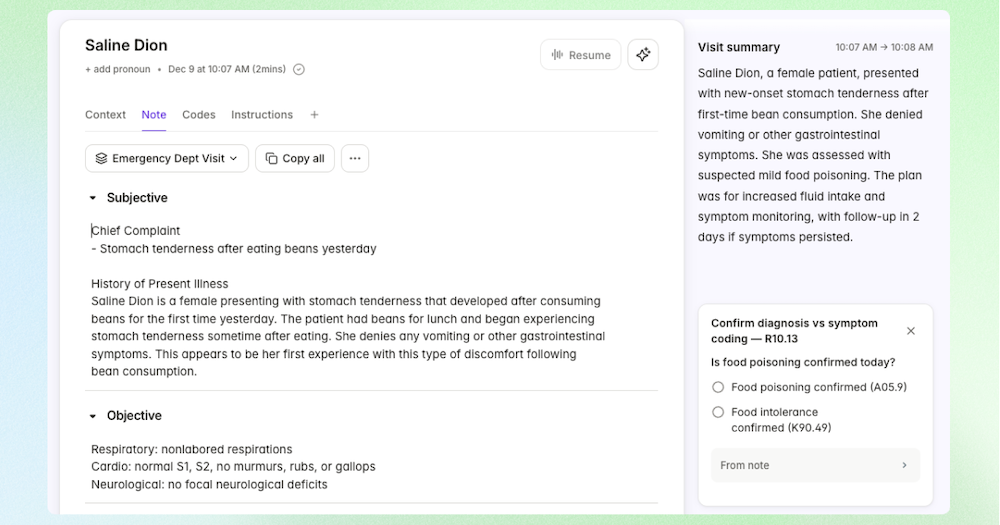
Freed was built specifically to reduce the mental load of documentation and admin work, not add another system for clinicians to learn.
The all-in-one solution generates clinical notes, patient-letters, clinical codes, and more — while also supporting clinical decision-making and an easy one-click EHR integration.
There's no lengthy implementation process, no complex setup, and no need to change existing workflows.
What makes Freed stand out is its focus on note quality and customization. Clinicians can choose specialty-specific templates, build their own formats, share templates across teams, and use learn format to help notes better reflect their documentation preferences over time.
Freed works best for independent and small-group practices. Setup takes minutes, clinicians can start with a free trial, and practices can expand usage without enterprise procurement processes.
The result is a documentation experience designed around clinicians rather than IT departments.
Freed pricing
$39/month for the starter plan with a 7-day free trial. Additional plans are available, including customizable group pricing.
Key features
- Ambient AI scribe with real-time transcription and structured note generation across 70+ specialties
- AI Clinician Assistant for clinical decision support, differential diagnosis suggestions, and patient education — built directly into the documentation workflow
- Learned templates with adaptive note personalization that improves with every encounter
- One-click EHR push via Chrome extension that works with any browser-based EHR- ICD-10 and CPT code suggestions with supporting documentation
- AI-generated patient letters, referral letters, and after-visit summaries
- Custom and shared templates with team-wide template management for group practices
- HIPAA compliant with BAA available; SOC 2 Type II certified- 7-day free trial with no credit card required
EHR integrations
Works alongside virtually any web-based EHR via the Chrome extension, including athenahealth, eClinicalworks, Optimantra, and Aarista.
Versus Suki
Freed is 50–75% less expensive than Suki with the same advanced functionality and industry-leading note quality. Freed works with any browser-based EHR and requires zero IT involvement. Suki does offer genuinely differentiated features in voice-commanded EHR navigation and ambient order staging, but for clinicians whose core need is high-quality documentation, coding, and clinical decision support at an accessible price, Freed delivers at a fraction of the cost — and works on day one.
2. S10.AI
Best for
Cost-conscious solo and small practices that want universal EHR compatibility at a budget-friendly price
Overview
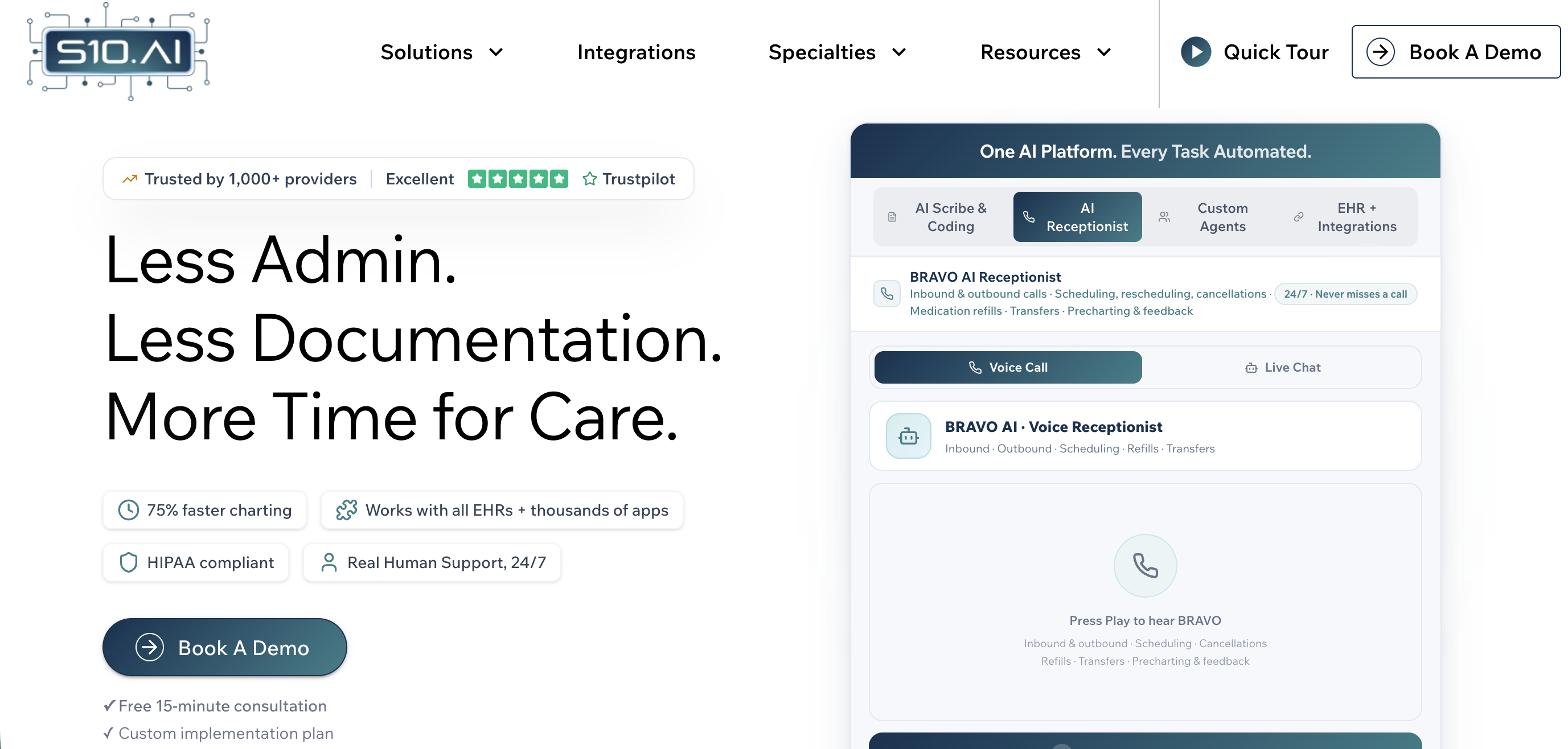
S10.AI is a budget-friendly ambient AI scribe built for solo practitioners and small practices that need documentation automation without enterprise complexity. Its CRUSH AI agent listens to patient encounters and generates structured clinical notes across 200+ specialty templates, while a companion BRAVO agent handles front-office tasks like scheduling, prescription refill processing, and no-show reduction.
S10.AI pricing
$99/month flat rate (30-day money-back guarantee, no credit card required to start)
Key features
- Universal EHR integration with 100+ systems (Epic, Cerner, Athena, NextGen, eCW, WebPT, and more) via server-side RPA — mimics human keyboard/mouse to navigate any EHR- 200+ specialty templates
- CRUSH AI scribe agent + BRAVO front-office AI agent (scheduling, refill processing, no-show reduction)
- HIPAA, GDPR, and ISO 27001 certified
- Claims ~99% transcription accuracy and under 10-second chart finalization
Limitations
- Note depth and specialty accuracy vary more than Freed across complex clinical encounters.
- Some Capterra reviewers report needing to be overly verbose for good output, and a few flagged billing issues after cancellation.
- No adaptive "learn my style" capability comparable to Freed's template learning.
Versus Suki
More budget-friendly and flexible, ideal for small practices or those using legacy EHRs
3. Abridge
Best for
Practices with Epic integration as a hard requirement
Overview: Abridge is the dominant enterprise ambient AI scribe, purpose-built for large health systems with complex EHR environments. Backed by a $5.3B valuation and deployments across 270+ health systems — including Kaiser Permanente (24,600 physicians), Mayo Clinic, Johns Hopkins, Duke Health, Yale, and UPMC — Abridge has won Best in KLAS for Ambient AI in both 2025 and 2026.
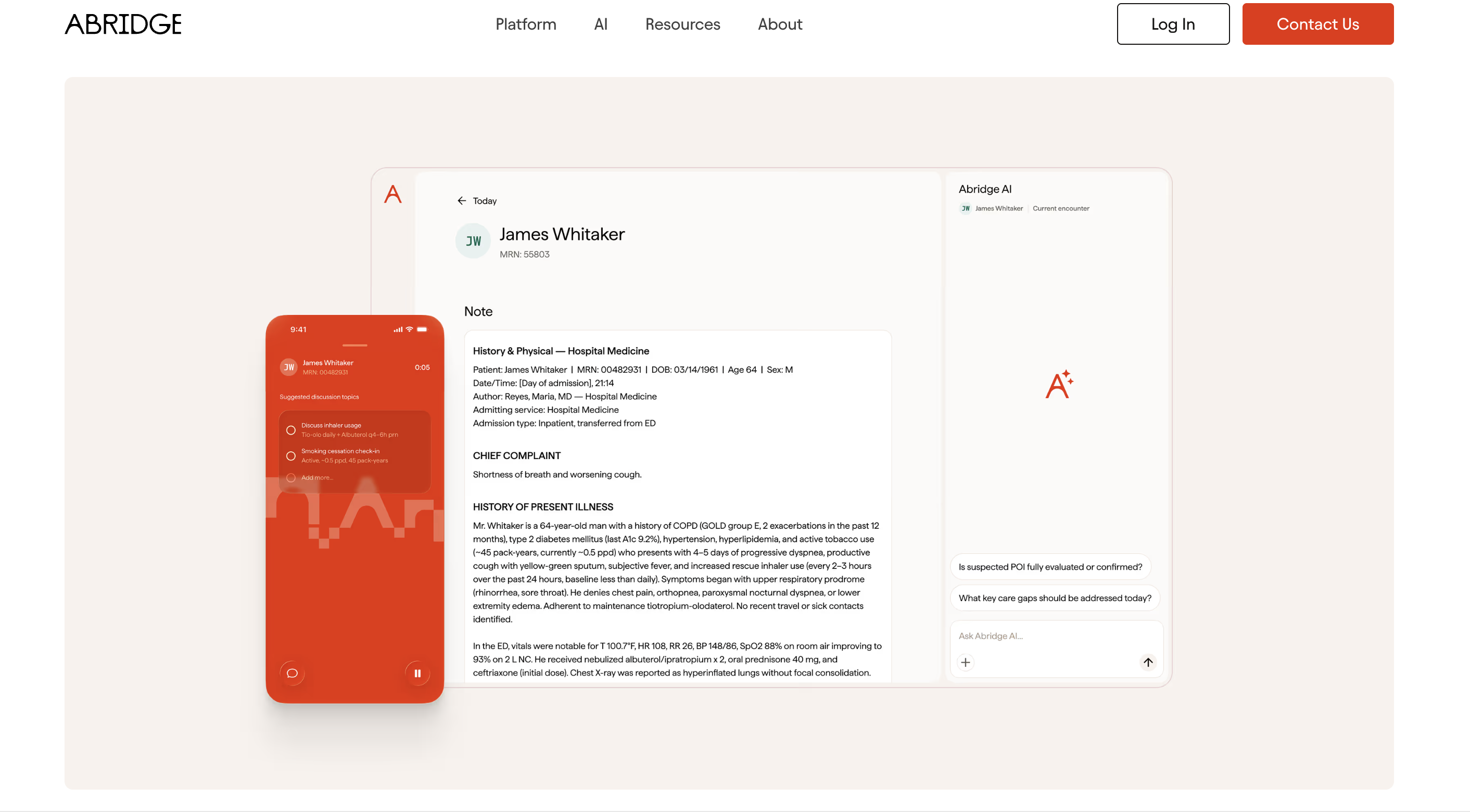
Its signature feature, Linked Evidence, traces every section of a generated note back to the exact audio segment that produced it, providing a level of audit-trail transparency unique in the market.
Key features
- Linked Evidence maps every note section back to its source audio for verification and compliance
- Deep Epic integration as the first "Pal" partner with in-chart workflows; also integrates with Athena, eCW, Cerner, AllScripts, and NextGen
- 28+ language support across 55+ medical specialties (outpatient, inpatient, and ED)
- Clinical decision support expansion with multiyear NEJM and JAMA content partnerships, UpToDate integration, and a prior authorization feature (2026)
Abridge pricing
Enterprise-only; estimated $208/month per provider at scale ($2,500/year). No public pricing, no self-serve option, no free trial.
Limitations
- Abridge is designed exclusively for health systems — there is no self-serve option and no path for an individual clinician or small practice to purchase it.
- Sales cycles typically run 6–12 months.
- Implementation requires significant IT involvement.
- The platform does not offer billing code automation or patient communication tools, and non-Epic integrations are newer and less established.
Versus Suki
Both Abridge and Suki target enterprise buyers, but Abridge holds a stronger position in Epic environments and has Best in KLAS credibility. Suki differentiates with voice-commanded EHR interaction and ambient order staging — features Abridge does not offer. Abridge is generally less expensive (~$208/month vs. $299–$399/month), but neither product is accessible to independent practices or small groups.
4. DeepScribe
Best for
High-volume specialty practices — particularly oncology — with complex documentation requirements, enterprise budgets, and clinicians who need deep EHR write-back and coding support.
Overview
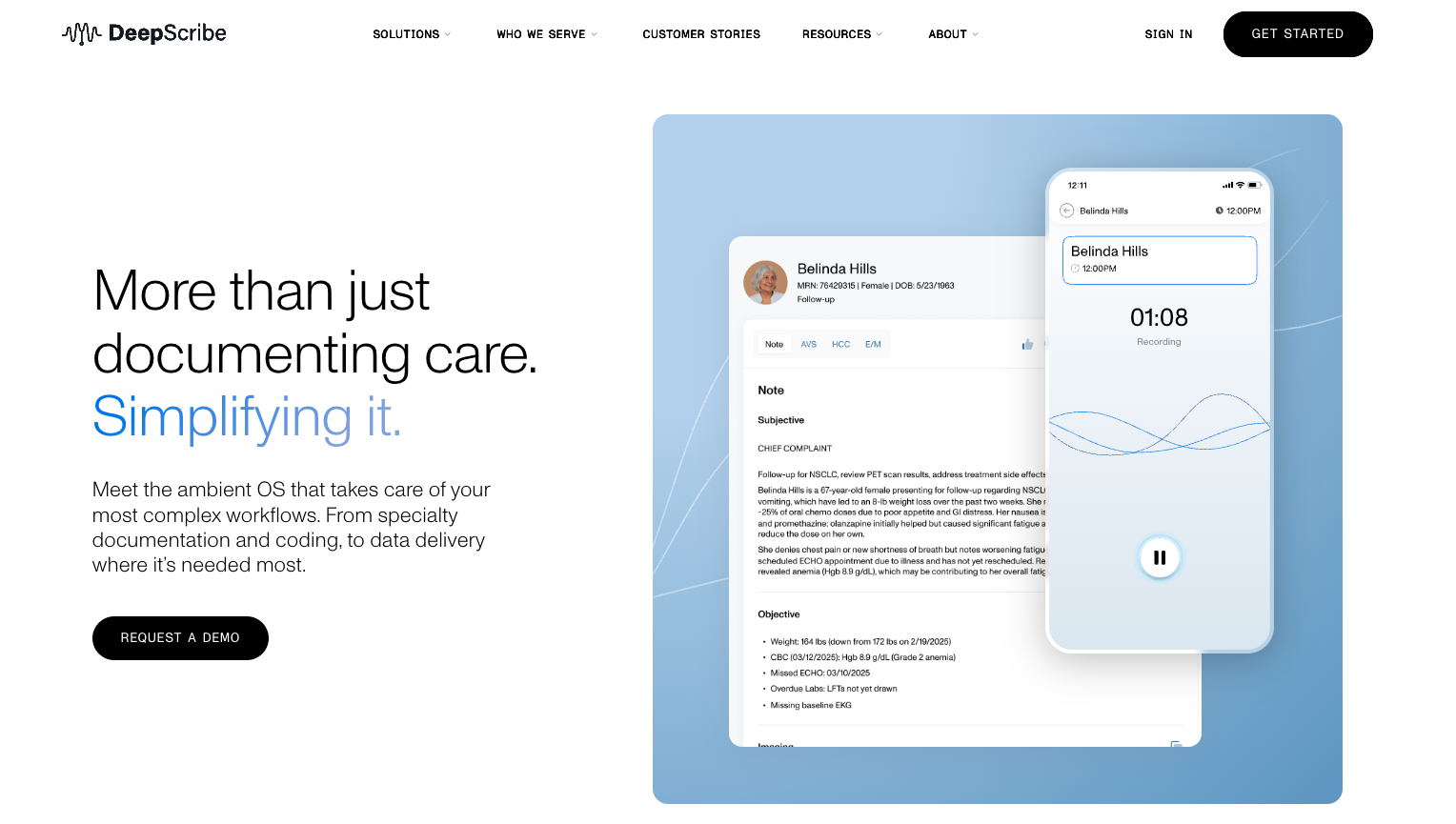
DeepScribe is a specialty-focused ambient AI scribe that has repositioned itself as an "Ambient Operating System" — combining AI-powered documentation with AI coding, AI pre-charting, and real-time clinical decision support. With a 98.8 KLAS spotlight score (the highest in the ambient AI scribe category) and 800+ healthcare organization deployments, DeepScribe is particularly strong in oncology, cardiology, gastroenterology, and other complex specialties. The platform is trained on approximately 2 million patient encounters and claims a 99.92% note approval rating through its Customization Studio, which learns individual clinician documentation preferences over time.
DeepScribe pricing
Custom enterprise pricing; estimated $300–$750/provider/month depending on contract size, specialty, and integration depth. No free tier or self-serve option.
Key features
- Full coding support for E/M, ICD-10, and HCC with audit-ready documentation
- SmartPrep offerspre-visit intelligence that synthesizes up to 2 years of patient records into structured HPI — primarily for oncology-
- Customization Studio is an adaptive note learning that improves output based on clinician edits
- Bi-directional EHR integration with Epic, Athena, eCW, AdvancedMD, ModMed, Flatiron, and DrChrono
- Specialty-tuned documentation models for oncology, cardiology, GI, urology, orthopedics, and neurology
- DeepScribe Assist uses real-time encounter prompts when HCC documentation gaps are detected
Limitations
- No self-serve option
- Requires an enterprise sales process
- Pricing reflects enterprise positioning
- English only
Versus Suki
Both DeepScribe and Suki target enterprise buyers, but DeepScribe is more deeply specialized in complex specialties (particularly oncology), while Suki differentiates on voice-commanded EHR interaction and ambient order staging. DeepScribe holds a higher KLAS score (98.8 vs. 93.2). Pricing is comparable at the high end. Neither offers self-serve access for independent practices, making them inaccessible to the majority of U.S. clinicians.
If you're evaluating dictation-based tools as part of this comparison, also see Freed’s list of top medical dictation software platforms in 2026. For another ambient scribe comparison, see the best AI scribe guide.


Table of Contents
Suki AI is a well-known ambient documentation platform, but many independent clinicians find it's not designed for their practice. With pricing that often starts around $299 per provider per month and a strong emphasis on enterprise EHR integrations, Suki aligns best with larger healthcare organizations.
For solo clinicians and small group practices, the priorities are often different: getting started quickly, creating high-quality notes with minimal editing, and avoiding lengthy implementation projects. That's why many clinicians begin searching for a Suki AI alternative that offers a simpler path to better documentation.
In this guide, we'll compare several leading AI scribes and explore which solution may be the best fit for your practice.
Why physicians look for a Suki AI alternative
Pricing: $299–$399+/month per provider
Suki's pricing reflects its positioning as an enterprise platform. At $299–$399/month per provider — with some enterprise contracts pushing higher — it's among the most expensive AI scribes on the market. For a small or medium-sized practice, that number is hard to justify, especially when alternatives delivering comparable clinical accuracy exist with customizable pricing tiers.
EHR dependency
Suki's value proposition centers on deep EHR integration — writing notes directly into Epic, Cerner, Athenahealth, and others via API. That's genuinely powerful for health systems with enterprise EHR contracts and dedicated IT teams. For independent practices on browser-based EHRs, or those that switch EHR platforms periodically, that same deep integration can become a constraint: you're locked in, and any EHR change means starting the implementation process over.
Enterprise focus vs. independent practice needs
Suki is built around the operational realities of large organizations: IT governance, enterprise procurement cycles, SSO, and dedicated implementation support. These aren't selling points for a three-provider family medicine practice. What most independent practices need isn't another technology rollout. They need documentation support that fits into an already busy day.
For a growing specialty practice, success often comes down to a few simple questions:
- Can clinicians get started quickly?
- Are the notes accurate enough to trust?
- Will the tool work with the EHR they already use?
- Can the practice afford to deploy it across the team?
These priorities often lead clinicians to evaluate alternatives built specifically for small and midsized practices.
Best Suki alternatives in 2026
1. Freed — Best for independent clinicians and small practices
Best for
Independent clinicians, specialty practices, and clinics with 2–50 providers
Overview
Freed was built specifically to reduce the mental load of documentation and admin work, not add another system for clinicians to learn.
The all-in-one solution generates clinical notes, patient-letters, clinical codes, and more — while also supporting clinical decision-making and an easy one-click EHR integration.
There's no lengthy implementation process, no complex setup, and no need to change existing workflows.
What makes Freed stand out is its focus on note quality and customization. Clinicians can choose specialty-specific templates, build their own formats, share templates across teams, and use learn format to help notes better reflect their documentation preferences over time.
Freed works best for independent and small-group practices. Setup takes minutes, clinicians can start with a free trial, and practices can expand usage without enterprise procurement processes.
The result is a documentation experience designed around clinicians rather than IT departments.
Freed pricing
$39/month for the starter plan with a 7-day free trial. Additional plans are available, including customizable group pricing.
Key features
- Ambient AI scribe with real-time transcription and structured note generation across 70+ specialties
- AI Clinician Assistant for clinical decision support, differential diagnosis suggestions, and patient education — built directly into the documentation workflow
- Learned templates with adaptive note personalization that improves with every encounter
- One-click EHR push via Chrome extension that works with any browser-based EHR- ICD-10 and CPT code suggestions with supporting documentation
- AI-generated patient letters, referral letters, and after-visit summaries
- Custom and shared templates with team-wide template management for group practices
- HIPAA compliant with BAA available; SOC 2 Type II certified- 7-day free trial with no credit card required
EHR integrations
Works alongside virtually any web-based EHR via the Chrome extension, including athenahealth, eClinicalworks, Optimantra, and Aarista.
Versus Suki
Freed is 50–75% less expensive than Suki with the same advanced functionality and industry-leading note quality. Freed works with any browser-based EHR and requires zero IT involvement. Suki does offer genuinely differentiated features in voice-commanded EHR navigation and ambient order staging, but for clinicians whose core need is high-quality documentation, coding, and clinical decision support at an accessible price, Freed delivers at a fraction of the cost — and works on day one.
2. S10.AI
Best for
Cost-conscious solo and small practices that want universal EHR compatibility at a budget-friendly price
Overview
S10.AI is a budget-friendly ambient AI scribe built for solo practitioners and small practices that need documentation automation without enterprise complexity. Its CRUSH AI agent listens to patient encounters and generates structured clinical notes across 200+ specialty templates, while a companion BRAVO agent handles front-office tasks like scheduling, prescription refill processing, and no-show reduction.
S10.AI pricing
$99/month flat rate (30-day money-back guarantee, no credit card required to start)
Key features
- Universal EHR integration with 100+ systems (Epic, Cerner, Athena, NextGen, eCW, WebPT, and more) via server-side RPA — mimics human keyboard/mouse to navigate any EHR- 200+ specialty templates
- CRUSH AI scribe agent + BRAVO front-office AI agent (scheduling, refill processing, no-show reduction)
- HIPAA, GDPR, and ISO 27001 certified
- Claims ~99% transcription accuracy and under 10-second chart finalization
Limitations
- Note depth and specialty accuracy vary more than Freed across complex clinical encounters.
- Some Capterra reviewers report needing to be overly verbose for good output, and a few flagged billing issues after cancellation.
- No adaptive "learn my style" capability comparable to Freed's template learning.
Versus Suki
More budget-friendly and flexible, ideal for small practices or those using legacy EHRs
3. Abridge
Best for
Practices with Epic integration as a hard requirement
Overview: Abridge is the dominant enterprise ambient AI scribe, purpose-built for large health systems with complex EHR environments. Backed by a $5.3B valuation and deployments across 270+ health systems — including Kaiser Permanente (24,600 physicians), Mayo Clinic, Johns Hopkins, Duke Health, Yale, and UPMC — Abridge has won Best in KLAS for Ambient AI in both 2025 and 2026.
Its signature feature, Linked Evidence, traces every section of a generated note back to the exact audio segment that produced it, providing a level of audit-trail transparency unique in the market.
Key features
- Linked Evidence maps every note section back to its source audio for verification and compliance
- Deep Epic integration as the first "Pal" partner with in-chart workflows; also integrates with Athena, eCW, Cerner, AllScripts, and NextGen
- 28+ language support across 55+ medical specialties (outpatient, inpatient, and ED)
- Clinical decision support expansion with multiyear NEJM and JAMA content partnerships, UpToDate integration, and a prior authorization feature (2026)
Abridge pricing
Enterprise-only; estimated $208/month per provider at scale ($2,500/year). No public pricing, no self-serve option, no free trial.
Limitations
- Abridge is designed exclusively for health systems — there is no self-serve option and no path for an individual clinician or small practice to purchase it.
- Sales cycles typically run 6–12 months.
- Implementation requires significant IT involvement.
- The platform does not offer billing code automation or patient communication tools, and non-Epic integrations are newer and less established.
Versus Suki
Both Abridge and Suki target enterprise buyers, but Abridge holds a stronger position in Epic environments and has Best in KLAS credibility. Suki differentiates with voice-commanded EHR interaction and ambient order staging — features Abridge does not offer. Abridge is generally less expensive (~$208/month vs. $299–$399/month), but neither product is accessible to independent practices or small groups.
4. DeepScribe
Best for
High-volume specialty practices — particularly oncology — with complex documentation requirements, enterprise budgets, and clinicians who need deep EHR write-back and coding support.
Overview
DeepScribe is a specialty-focused ambient AI scribe that has repositioned itself as an "Ambient Operating System" — combining AI-powered documentation with AI coding, AI pre-charting, and real-time clinical decision support. With a 98.8 KLAS spotlight score (the highest in the ambient AI scribe category) and 800+ healthcare organization deployments, DeepScribe is particularly strong in oncology, cardiology, gastroenterology, and other complex specialties. The platform is trained on approximately 2 million patient encounters and claims a 99.92% note approval rating through its Customization Studio, which learns individual clinician documentation preferences over time.
DeepScribe pricing
Custom enterprise pricing; estimated $300–$750/provider/month depending on contract size, specialty, and integration depth. No free tier or self-serve option.
Key features
- Full coding support for E/M, ICD-10, and HCC with audit-ready documentation
- SmartPrep offerspre-visit intelligence that synthesizes up to 2 years of patient records into structured HPI — primarily for oncology-
- Customization Studio is an adaptive note learning that improves output based on clinician edits
- Bi-directional EHR integration with Epic, Athena, eCW, AdvancedMD, ModMed, Flatiron, and DrChrono
- Specialty-tuned documentation models for oncology, cardiology, GI, urology, orthopedics, and neurology
- DeepScribe Assist uses real-time encounter prompts when HCC documentation gaps are detected
Limitations
- No self-serve option
- Requires an enterprise sales process
- Pricing reflects enterprise positioning
- English only
Versus Suki
Both DeepScribe and Suki target enterprise buyers, but DeepScribe is more deeply specialized in complex specialties (particularly oncology), while Suki differentiates on voice-commanded EHR interaction and ambient order staging. DeepScribe holds a higher KLAS score (98.8 vs. 93.2). Pricing is comparable at the high end. Neither offers self-serve access for independent practices, making them inaccessible to the majority of U.S. clinicians.
If you're evaluating dictation-based tools as part of this comparison, also see Freed’s list of top medical dictation software platforms in 2026. For another ambient scribe comparison, see the best AI scribe guide.
FAQs
Frequently asked questions from clinicians and medical practitioners.

How much does Suki cost?

Is Freed or Suki better for small practices?
What is the best Suki AI alternative for independent practices?
Can I try a Suki AI alternative before committing?
Is Suki worth the higher cost?
Is Freed or Suki better?
How is Freed's coding different from Suki's?
Related content
Free yourself for better things


548 Market Street, PMB 95301
San Francisco, CA 94104
Specialties
Compliance & Security
Our technology is HIPAA-compliant, uses industry best practices, and doesn’t store patient recordings.



