


7 Best Physician Dictation Software & Medical Dictation Devices for Clinicians [2026]
Documentation is every clinician's constant companion—and nemesis. According to a pulse survey, 77% of clinicians are taking their notes home.
Luckily, there's a light at the end of the chart-induced tunnel (and maybe even a golden weekend or two).
With advances in AI and natural language processing, physician dictation software and medical dictation devices are evolving to meet the growing need for support.
In this article, we'll compare the best physician dictation software and medical dictation devices on the market today — including how they compare to the top medical dictation tools, how they differ from general-purpose dictation software and AI scribes, and their history, types, tools, and benefits.
Best medical dictation tools in 2026: overview
- Freed
- Amazon Transcribe Medical
- Deepgram
- Nuance Dragon Medical One
- Philips Speechlive
- INVOX Medical
- Voicebox MD
| Tool | Category | Best for | Key tradeoff |
|---|---|---|---|
| Freed | AI medical scribe and clinician assistant | Small & midsized clinics (2–50 clinicians) | Not built for Epic-only hospital systems |
| Amazon Transcribe Medical | Medical transcription API | Developers & custom workflows | Requires technical setup and formatting work |
| Deepgram | Speech-to-text platform | Teams needing raw transcription | Not purpose-built for clinical notes |
| Nuance Dragon Medical One | Voice dictation software | Enterprise & hospital environments | Higher cost and steeper learning curve |
| Philips SpeechLive | Cloud dictation | Basic voice-to-text needs | Limited clinical intelligence |
| INVOX Medical | Medical dictation software | Clinics wanting on-prem or hosted options | Less modern AI capabilities |
| VoiceboxMD | Medical dictation app | Budget-conscious solo clinicians | Limited specialty depth |
What is medical dictation software?
We can't talk about medical dictation without first mentioning medical transcription.
Medical transcription has existed as long as clinical notes: as long as doctors have helped people, someone's had to write it down.
But this really evolved in the mid-20th century, with the introduction of our good friend the electronic health record (EHR).
With a new systemized approach to patient care, dictation and transcription tools came into play. Traditional dictation tools document what we say word-for-word.
Now, AI scribes and other ambient tools can actually interpret conversations to write clinical notes.
According to the American Academy of Family Physicians (AAFP), documentation burden remains a leading cause of physician burnout, with technology adoption being a critical focus to alleviate this challenge.
Lets break down the best dictation tools in healthcare.
General-purpose dictation software vs. medical-specific tools
Not all dictation software is created equal. Search for "dictation software" and you'll find a wide range of tools — from general transcription platforms built for developers and call centers to purpose-built systems designed specifically for clinical documentation.
General-purpose dictation software, like Amazon Transcribe Medical and Deepgram, is built to convert speech to text across many industries. These platforms are powerful and often highly accurate at the raw transcription layer, but they typically require your team to build the clinical layer on top — mapping raw text to SOAP sections, adding medical vocabulary, or integrating with an EHR.
Medical-specific dictation software, on the other hand — including Freed, Nuance Dragon Medical One, Philips SpeechLive, INVOX Medical, and VoiceboxMD — is purpose-built for healthcare. These tools come with clinical vocabularies, specialty-specific templates, and, in Freed's case, ambient AI that generates a structured note rather than a word-for-word transcript.
Why a dedicated dictation solution matters in 2026
Even with voice‑enabled EHRs, most clinicians still rely on a separate dictation layer to capture nuanced findings, procedural details, and specialty‑specific language. A good dictation platform:
- Improves note accuracy and compliance
- Integrates seamlessly with your existing workflow
- Protects patient data under HIPAA and GDPR
Breaking down the 7 best medical dictation tools in 2026
Medical dictation software technology is advancing, and many options are now available. As a clinician, you'll need to choose based on your needs.
Here are some of the best medical dictation tools in the market that cater to different needs:
1. Freed — AI medical scribe and clinician assistant

Freed is more than aI medical dictation. It's a purpose-built AI medical scribe and clinician assistant that produces chart-ready, accurate clinical notes with minimal editing — so clinicians across all specialties can finish documentation without carrying the mental load home.
Instead of transcribing conversations word-for-word, Freed listens contextually and generates structured, accurate SOAP notes that reflect how clinicians actually practice. You simply press record at the start of a visit, speak naturally with your patient, and review a complete note moments after the encounter ends.
What sets Freed apart in 2026 is how far it's moved beyond basic transcription.
Just turn it on during your next patient encounter. The tool works in the background to turn your conversation into accurate SOAP notes.
What Freed does differently
- Unmatched note quality
Freed doesn't just capture what was said — it understands clinical relevance. Notes are accurate, support 90+ languages, and can adapt to your preferences. Use a number of customization features to get the perfect note, every time. - Patient context that carries forward
Freed automatically surfaces relevant details from prior visits — such as medical history, ongoing issues, and recent plans — so each note builds on the last. Clinicians spend less time digging through charts and more time focused on the patient in front of them. - Automatic patient letters and follow-up documents
From referral letters to work, school, and medical clearance notes, Freed can generate patient-facing and administrative letters directly from the visit. These documents are ready to review and share, without starting from a blank page after every appointment. - Deep customization without complexity
Clinicians can use specialty-specific templates, build their own from scratch, or edit a note once and let Freed apply that structure going forward. You control note length, format, and style — without spending time training a system. - Effortless workflow fit
Freed produces ICD-10 codes and pushes notes to any browser-based EHR through EHR push in the Chrome extension. No IT required.
Pros
- High-quality notes that reduce editing time
- Less chart searching between visits
- No extra admin work for patient letters and documentation
- Intuitive from day one
- Flexible across specialties and visit types
- Built specifically for clinicians, not retrofitted from general AI
- Affordable for small and growing practices
Cons
- Not designed for Epic-only, hospital-scale deployments
- Requires Chrome extension to integrate with browser-based EHRs.
Get started with a free trial of Freed today. No credit card required.
"Freed has been life changing! My NP went on maternity leave and i was up till 10 pm two weeks ago writing notes instead of spending time after work with my 4 small kids. This week with freed I'm baking cookies with them and even working out daily! So happy I found Freed." – Primary Care Clinician
2. Amazon Transcribe Medical

Amazon Transcribe Medical
Amazon Transcribe Medical is a cloud-based transcription service by Amazon that converts physician-patient conversations into accurate text in real time. It also offers medical terminology recognition and speech transcriptions based on your specialty.
Feature overview
- Real-time transcription
- Accurate medical terminology recognition
- Transcriptions for both primary care and specialty care areas
Pros
- State-of-the-art machine learning by Amazon
- Easy integration with other Amazon services
- HIPAA-compliant option available
Cons
- Limited customization options for SOAP notes
3. Deepgram
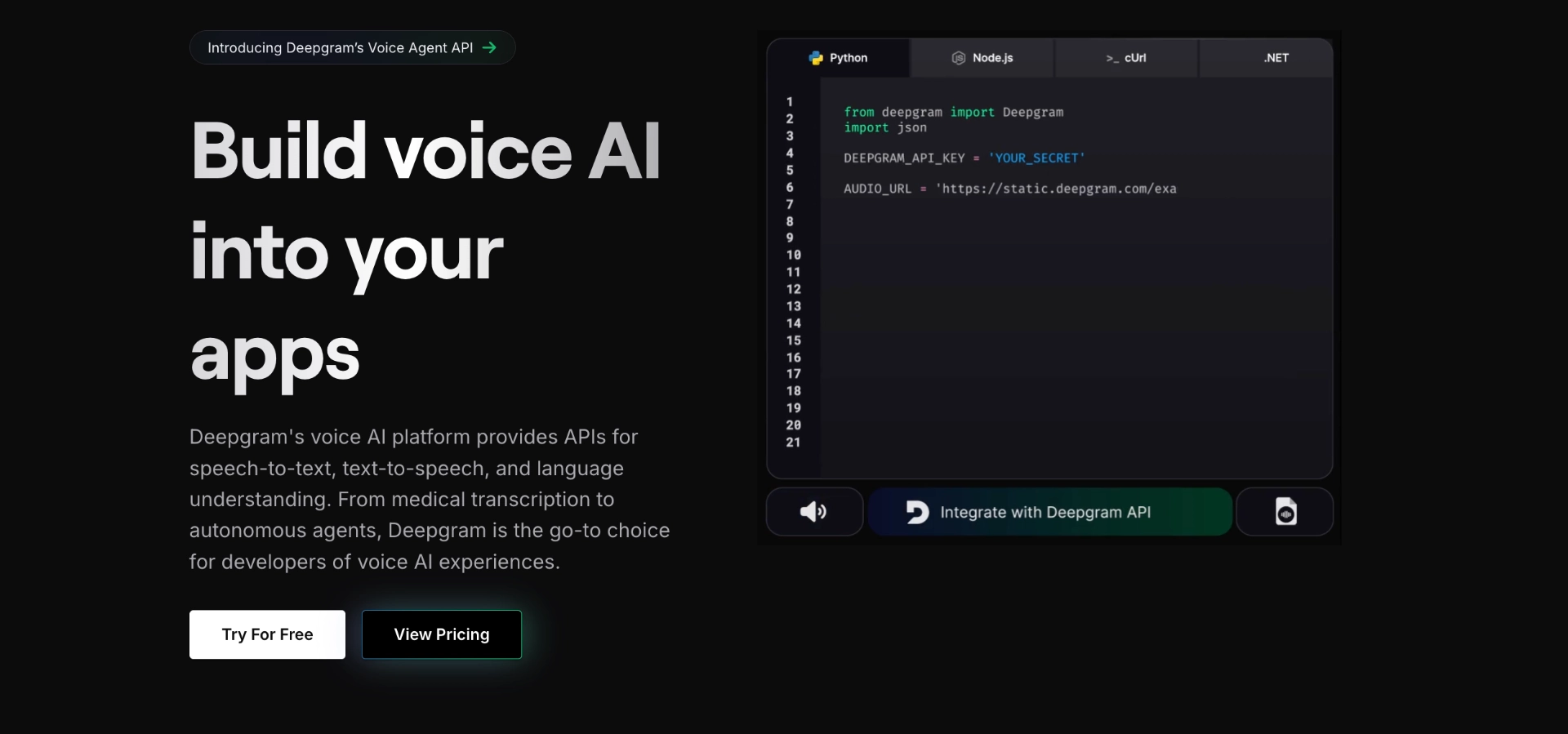
Deepgram AI
Deepgram is a speech recognition software that uses artificial intelligence to transcribe conversations accurately.
It offers real-time transcription, speaker separation, and formatting for specific industries, including healthcare.
Feature overview
- Real-time transcription
- Speaker separation and identification
- Smart formatting
Pros
- High transcription accuracy
- Can identify speaker sentiment
Cons
- Higher cost compared to other options
- Not made specifically for medical purposes
4. Nuance Dragon Medical One
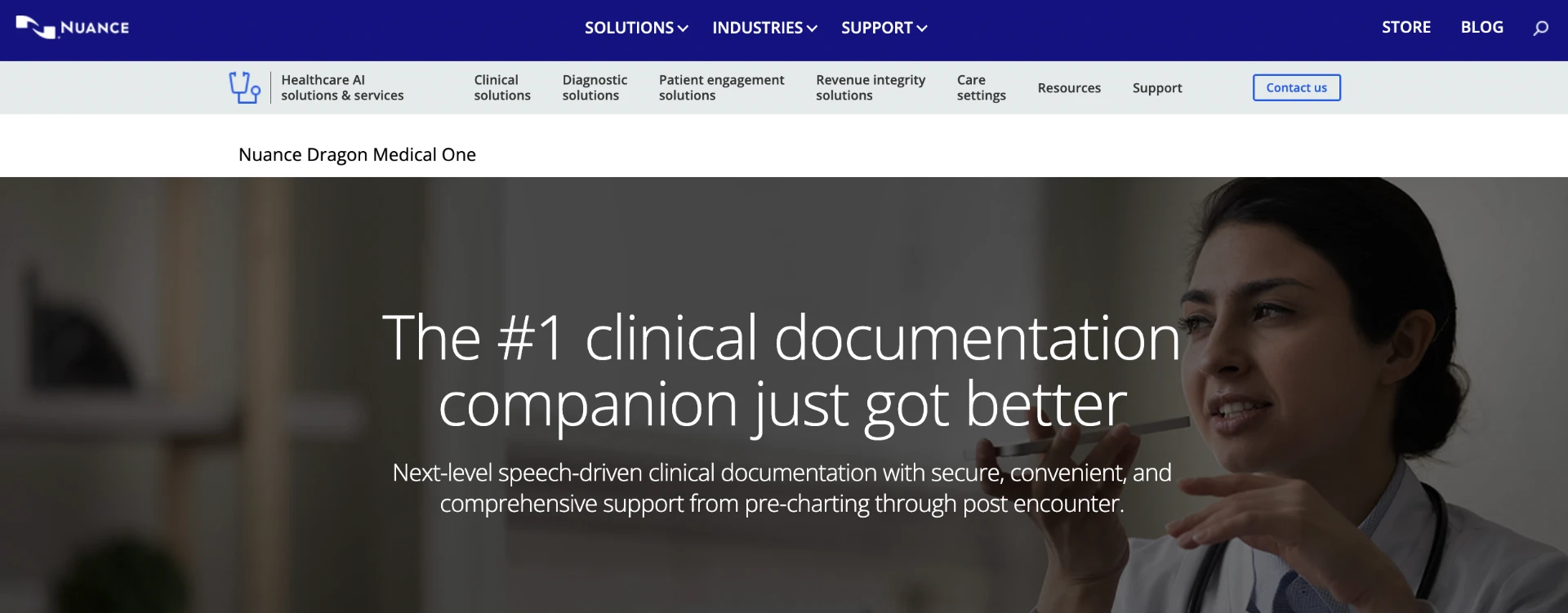
Nuance Dragon Medical One
Nuance Dragon Medical One is cloud-based speech recognition software designed for healthcare professionals. It can be used in a wide range of clinical and administrative workflows.
Feature overview
- Notes can be formatted using natural language commands
- Auto-punctuation when note-taking
Pros
- Specifically designed for medical purposes
- Available on desktop or mobile
Cons
- Expensive monthly subscription fee
- Requires an internet connection
Looking for something Dragon-adjacent but different? See our full breakdown of Dragon Medical One alternatives.
5. Philips Speechlive
Philips Speechlive
Philips Speechlive is another cloud-based speech recognition software that works in your browser. It offers a simple, fuss-free transcription function for speech to text.
Feature overview
- Speech recognition for text-to-speech functions
- Supports direct speech recognition in third-party applications
Pros
Available through desktop and mobile application
Cons
- Not built specifically for medical and clinical documentation
- Requires an internet connection
6. INVOX Medical

INVOX Medical
INVOX Medical is voice recognition software specifically designed to generate medical reports. It offers a good technical support team and a wide variety of specialty dictionaries, making it easy to implement.
Feature overview
- Offers medical dictation services in their SaaS version
- Supports easy integration with existing systems
Pros
- Has support teams for setup
- Offers more than 15 dictionaries of different medical specialities
- Available for deployment on-premises or on the cloud
Cons
- No data security measures in place
- No demo available
7. VoiceboxMD

VoiceboxMD
VoiceboxMD is a medical dictation app that uses artificial intelligence and machine learning to transcribe clinical notes with high accuracy. It also offers customizable templates and EHR integrations.
Feature overview
- Uses advanced self-learning AI technology for highly accurate transcription
- Integrates with electronic health record systems
- HIPAA-compliant technology
Pros
- Supports integrations with many EHRs
- Affordable pricing
Cons
- Limited number of specialties available
How does medical dictation software work?
- Voice capture – you speak into a headset or your phone. The engine records and streams the audio securely.
- Speech‑to‑text engine – a trained model converts speech to text, recognizing medical jargon, abbreviations, and drug names.
- Clinical context layer – the software maps the raw text to SOAP sections, adds coding suggestions, and flags missing elements.
- Review and edit – you glance at the draft, make quick tweaks, and approve. The final note syncs to your EHR.
The result is a note that's ready in minutes instead of hours. For a deeper dive on AI‑powered documentation, see our guide on AI medical dictation.
Types of medical dictation tools
We know—that was a long list. To simplify things, let's split them into two main categories: medical transcription tools and AI scribes.
They're actually miles apart, with the latter being state-of-the-art AI technology-enabled. For a closer look at how these two approaches compare, see our guide on medical dictation vs. AI scribes.
Let's dig into the details below.
1. Medical transcription tools
Medical transcription tools are software programs that transcribe spoken medical dictation into text. They typically require a human transcriptionist to listen to the recording and manually type out the content.
These tools often have features such as voice recognition, word prediction, and templates for common medical terms.
However, they're limited in their capability to self-learn. This means you'll always be working with the same software making the same mistakes.
There's a solution to this problem — AI scribes.
Let's have a look at AI scribes in more detail below.
2. AI scribes
AI scribes use artificial intelligence and natural language processing algorithms to automatically transcribe spoken dictation into text.
These tools are trained on large datasets of medical terminology and can learn and adapt to individual speech patterns over time.
AI scribes can also have features such as auto-correct, auto-formatting, and voice commands for hands-free dictation. AI scribes can be good for unique use cases in lesser-known specialties where things aren't as established. Through self-learning over time, the AI scribe can increasingly save you on admin time and burden.
For a deeper comparison between traditional transcription and AI scribes, read our guide.
Medical dictation tool buying guide
Here's how to choose the right medical dictation software.
| Criterion | Why it matters | How to evaluate |
|---|---|---|
| AI accuracy | Directly impacts note quality and editing time | Request a sample WER on your specialty's terminology |
| EHR integration | Saves you from copy-pasting and double-entry | Verify native connectors or API availability |
| Security & compliance | Protects patient data and avoids fines | Look for HIPAA, GDPR, and HITECH certifications |
| Specialty support | Reduces the need for manual corrections | Check for built-in vocabularies or custom dictionary options |
| Pricing model | Aligns with your practice's budget | Compare per-user vs. per-note pricing; watch for hidden fees |
| Support & training | Faster onboarding means less downtime | Ask for onboarding timelines and clinician-led support staff |
Benefits of using medical dictation tools
Now, let's talk real results. Here are the benefits of medical dictation tools.

1. Increased efficiency
With medical dictation tools, healthcare professionals can save time by quickly recording and transcribing patient information without having to type it out manually.
2. Improved accuracy
AI scribes and other medical dictation tools are more accurate than traditional transcription methods because they constantly learn and improve their language processing capabilities.
"I finally have control of my charts with Freed. The technology is on a different level, better than my dragon dictation, better than smart commands, and it's compatible with any EHR." – Dr. Maryam Zarei, MD
3. Reduced fatigue and strain
Healthcare workers often spend long hours typing out patient notes, which can lead to fatigue and strain. By using dictation tools, they can alleviate this physical burden and focus more on patient care.
4. Easy formatting
Medical notes tend to come in various formats and structures. With dictation tools, healthcare professionals like you can easily format notes in a structured manner, saving time and effort.
For example, the SOAP note format can be easily generated after the dictation software produces the transcript.
5. Accessibility
Dictation tools are accessible on various devices such as smartphones, tablets, and computers. This allows a medical professional to record and transcribe patient information on the go, making their work more efficient and convenient.
6. Cost-effective
Investing in dictation tools can save healthcare facilities money in the long run by reducing transcription costs and improving overall efficiency.
7. Improved patient experience
Dictation software can reduce administrative work time substantially. This can result in spending less time on administrative tasks and more time interacting with patients. This improves the overall patient experience and satisfaction.
Medical dictation software use cases
Having discussed the benefits of using dictation software in healthcare, let's take a look at some specific use cases where this technology can be particularly helpful.
1. Patient records and notes
Dictation software allows healthcare professionals to easily record and transcribe clinical documentation.
This can come in the form of patient information, including medical histories, diagnoses, treatment plans, and progress notes.
This makes it easier for doctors to quickly access and review important patient information during consultations or appointments.
2. Meeting notes
In addition to recording patient information, dictation tools can also be used to take notes during meetings or conferences.
This reduces the need for manual note-taking, allowing healthcare professionals to focus more on actively participating in discussions and making important decisions.
However, this feature may not be available for all dictation software.
3. Medical reports
Creating medical reports can be a time-consuming task that requires a lot of typing and proofreading.
With the speech recognition technology found in dictation software, healthcare professionals can simply speak their reports and have them transcribed in real time. This saves time and reduces the risk of errors due to typos or misinterpretation.
4. Customization
Many dictation tools offer customizable vocabulary and terminology for specific medical fields, making it easier for healthcare professionals to accurately dictate patient information without having to constantly spell out complex medical terms.
5. Mobile capabilities
With the rise of telemedicine, dictation software has become even more essential for healthcare professionals. Many tools now have mobile capabilities, allowing them to dictate patient information on the go, even when away from their office or computer.
"Freed has changed my life and documentation for the better. All I do is turn it on at the beginning of each encounter and it generates nearly flawless notes with fewer errors than dictation software. It will often pick up small details I missed during the conversation. I use it in office, for telehealth, and for house calls and it works incredibly well in each scenario." – Elizabeth Hayes, Owner, Nomad Medical Services
Medical dictation software security and compliance
Patient data is sacrosanct, and selecting an AI scribe platform requires rigorous scrutiny of its security posture. Healthcare organizations face mounting regulatory obligations, from HIPAA and HITECH to state-level privacy laws, and a single breach can result in catastrophic financial penalties, reputational damage, and erosion of patient trust. HHS provides comprehensive guidelines for safeguarding electronic health information to maintain patient privacy and security.
When evaluating vendors, prioritize platforms that demonstrate a comprehensive, defense-in-depth approach to data protection:
- End-to-end encryption for audio and text ensures that patient conversations and clinical notes are encrypted at every stage—during transmission, at rest in storage, and even while being processed.
- Role-based access controls (RBAC) provide granular oversight by allowing administrators to assign permissions based on job function, ensuring staff only access the data necessary for their roles.
- Regular third-party audits such as SOC 2 Type II and HITRUST certifications offer independent validation that a vendor's security controls are both in place and operating effectively.
- Audit trails that record every edit and sign-off provide accountability and transparency, allowing you to trace exactly who accessed a record, what changes were made, and when.
Medical dictation software in practice: case studies
Real clinicians are seeing transformative results from AI-powered medical dictation tools. Here are two examples of how dictation software is making a difference in clinical practice.
Family medicine clinician: 12-hour days → 10-hour days
Blake Thompson is a family nurse practitioner in rural Idaho. He runs his own primary care practice. His typical day used to involve arriving at 7 AM and leaving the clinic at 7 PM.
Blake sees 16-24 patients daily. After each visit, he'd spend 8-12 minutes dictating notes. The software fought him. He manually copied information between systems, and documentation ate his evenings.
Blake discovered Freed's AI medical scribe.Now his workflow looks like this:
- Press record when entering the exam room
- Have natural conversations with patients
- Review completed SOAP notes right after the visit
- Leave by 5:30 PM
The results:
- Documentation time: 8-12 minutes → 5 minutes per patient
- Saves 1.5-2 hours daily
- Expanded Freed to 4 providers on his team
"Within two minutes of walking out of my patient's last room, I'm leaving," — Blake Thompson, FNP-C
Family medicine practice owner: Eliminating the mental load
Dr. Cecily Kelly runs a family medicine practice in Texas. She sees 20 patients daily while managing 270 weekly visits across her practice.
Her documentation nightmare:
- Used a virtual assistant scribe that missed key details
- Ended each day with 10 of 20 charts incomplete
- Spent half her lunch break charting
- Stayed 1-2 hours after clinic closed (clinic ends at 5 PM, she'd leave at 6-7 PM)
- Got interrupted constantly between patients
- Carried the mental burden of remembering every detail
"At the end of the day, I might have 10 of my 20 charts incomplete. I would stay until 6 or 7 o'clock, even though clinic ends at 5," Dr. Kelly recalls.
After Dr. Kelly discovered Free her streamlined workflow changed:
- Starts Freed at the beginning of each visit
- Talks naturally with patients while Freed captures everything
- Uses visit summaries to prep for follow-ups instantly
- Edits notes anywhere (even in line at the pharmacy)
- Leaves when her last patient does
The results:
- No more charting backlog
- Leaves clinic on time every day
- Zero mental strain of remembering patient details
- Better continuity of care across multi-generational families
"I know everything was recorded. I don't have to hold it all in my head," — Dr. Cecily Kelly
Freed's ambient listening captures details Dr. Kelly might miss, even patient emotions and tone. When three people need her attention between exam rooms, she doesn't lose crucial context. The cognitive load is now manageable.
The future of medical dictation
Almost 75% of health professionals say documentation impedes patient care.
However, medical dictation software is taking large steps in the right direction, saving many clinicians from stressful documentation worldwide.
Whether you're a solo practitioner or part of a large health system, the right solution can shave hours off your week, improve documentation quality, and keep you compliant.
Ready to try a solution built for clinicians, by clinicians? Explore Freed's AI‑powered dictation platform and see how much time you can reclaim. Learn more and start your free trial today.

7 Best Physician Dictation Software & Medical Dictation Devices for Clinicians [2026]
Table of Contents
Documentation is every clinician's constant companion—and nemesis. According to a pulse survey, 77% of clinicians are taking their notes home.
Luckily, there's a light at the end of the chart-induced tunnel (and maybe even a golden weekend or two).
With advances in AI and natural language processing, physician dictation software and medical dictation devices are evolving to meet the growing need for support.
In this article, we'll compare the best physician dictation software and medical dictation devices on the market today — including how they compare to the top medical dictation tools, how they differ from general-purpose dictation software and AI scribes, and their history, types, tools, and benefits.
Best medical dictation tools in 2026: overview
- Freed
- Amazon Transcribe Medical
- Deepgram
- Nuance Dragon Medical One
- Philips Speechlive
- INVOX Medical
- Voicebox MD
| Tool | Category | Best for | Key tradeoff |
|---|---|---|---|
| Freed | AI medical scribe and clinician assistant | Small & midsized clinics (2–50 clinicians) | Not built for Epic-only hospital systems |
| Amazon Transcribe Medical | Medical transcription API | Developers & custom workflows | Requires technical setup and formatting work |
| Deepgram | Speech-to-text platform | Teams needing raw transcription | Not purpose-built for clinical notes |
| Nuance Dragon Medical One | Voice dictation software | Enterprise & hospital environments | Higher cost and steeper learning curve |
| Philips SpeechLive | Cloud dictation | Basic voice-to-text needs | Limited clinical intelligence |
| INVOX Medical | Medical dictation software | Clinics wanting on-prem or hosted options | Less modern AI capabilities |
| VoiceboxMD | Medical dictation app | Budget-conscious solo clinicians | Limited specialty depth |
What is medical dictation software?
We can't talk about medical dictation without first mentioning medical transcription.
Medical transcription has existed as long as clinical notes: as long as doctors have helped people, someone's had to write it down.
But this really evolved in the mid-20th century, with the introduction of our good friend the electronic health record (EHR).
With a new systemized approach to patient care, dictation and transcription tools came into play. Traditional dictation tools document what we say word-for-word.
Now, AI scribes and other ambient tools can actually interpret conversations to write clinical notes.
According to the American Academy of Family Physicians (AAFP), documentation burden remains a leading cause of physician burnout, with technology adoption being a critical focus to alleviate this challenge.
Lets break down the best dictation tools in healthcare.
General-purpose dictation software vs. medical-specific tools
Not all dictation software is created equal. Search for "dictation software" and you'll find a wide range of tools — from general transcription platforms built for developers and call centers to purpose-built systems designed specifically for clinical documentation.
General-purpose dictation software, like Amazon Transcribe Medical and Deepgram, is built to convert speech to text across many industries. These platforms are powerful and often highly accurate at the raw transcription layer, but they typically require your team to build the clinical layer on top — mapping raw text to SOAP sections, adding medical vocabulary, or integrating with an EHR.
Medical-specific dictation software, on the other hand — including Freed, Nuance Dragon Medical One, Philips SpeechLive, INVOX Medical, and VoiceboxMD — is purpose-built for healthcare. These tools come with clinical vocabularies, specialty-specific templates, and, in Freed's case, ambient AI that generates a structured note rather than a word-for-word transcript.
Why a dedicated dictation solution matters in 2026
Even with voice‑enabled EHRs, most clinicians still rely on a separate dictation layer to capture nuanced findings, procedural details, and specialty‑specific language. A good dictation platform:
- Improves note accuracy and compliance
- Integrates seamlessly with your existing workflow
- Protects patient data under HIPAA and GDPR
Breaking down the 7 best medical dictation tools in 2026
Medical dictation software technology is advancing, and many options are now available. As a clinician, you'll need to choose based on your needs.
Here are some of the best medical dictation tools in the market that cater to different needs:
1. Freed — AI medical scribe and clinician assistant
Freed is more than aI medical dictation. It's a purpose-built AI medical scribe and clinician assistant that produces chart-ready, accurate clinical notes with minimal editing — so clinicians across all specialties can finish documentation without carrying the mental load home.
Instead of transcribing conversations word-for-word, Freed listens contextually and generates structured, accurate SOAP notes that reflect how clinicians actually practice. You simply press record at the start of a visit, speak naturally with your patient, and review a complete note moments after the encounter ends.
What sets Freed apart in 2026 is how far it's moved beyond basic transcription.
Just turn it on during your next patient encounter. The tool works in the background to turn your conversation into accurate SOAP notes.
What Freed does differently
- Unmatched note quality
Freed doesn't just capture what was said — it understands clinical relevance. Notes are accurate, support 90+ languages, and can adapt to your preferences. Use a number of customization features to get the perfect note, every time. - Patient context that carries forward
Freed automatically surfaces relevant details from prior visits — such as medical history, ongoing issues, and recent plans — so each note builds on the last. Clinicians spend less time digging through charts and more time focused on the patient in front of them. - Automatic patient letters and follow-up documents
From referral letters to work, school, and medical clearance notes, Freed can generate patient-facing and administrative letters directly from the visit. These documents are ready to review and share, without starting from a blank page after every appointment. - Deep customization without complexity
Clinicians can use specialty-specific templates, build their own from scratch, or edit a note once and let Freed apply that structure going forward. You control note length, format, and style — without spending time training a system. - Effortless workflow fit
Freed produces ICD-10 codes and pushes notes to any browser-based EHR through EHR push in the Chrome extension. No IT required.
Pros
- High-quality notes that reduce editing time
- Less chart searching between visits
- No extra admin work for patient letters and documentation
- Intuitive from day one
- Flexible across specialties and visit types
- Built specifically for clinicians, not retrofitted from general AI
- Affordable for small and growing practices
Cons
- Not designed for Epic-only, hospital-scale deployments
- Requires Chrome extension to integrate with browser-based EHRs.
Get started with a free trial of Freed today. No credit card required.
"Freed has been life changing! My NP went on maternity leave and i was up till 10 pm two weeks ago writing notes instead of spending time after work with my 4 small kids. This week with freed I'm baking cookies with them and even working out daily! So happy I found Freed." – Primary Care Clinician
2. Amazon Transcribe Medical
Amazon Transcribe Medical
Amazon Transcribe Medical is a cloud-based transcription service by Amazon that converts physician-patient conversations into accurate text in real time. It also offers medical terminology recognition and speech transcriptions based on your specialty.
Feature overview
- Real-time transcription
- Accurate medical terminology recognition
- Transcriptions for both primary care and specialty care areas
Pros
- State-of-the-art machine learning by Amazon
- Easy integration with other Amazon services
- HIPAA-compliant option available
Cons
- Limited customization options for SOAP notes
3. Deepgram
Deepgram AI
Deepgram is a speech recognition software that uses artificial intelligence to transcribe conversations accurately.
It offers real-time transcription, speaker separation, and formatting for specific industries, including healthcare.
Feature overview
- Real-time transcription
- Speaker separation and identification
- Smart formatting
Pros
- High transcription accuracy
- Can identify speaker sentiment
Cons
- Higher cost compared to other options
- Not made specifically for medical purposes
4. Nuance Dragon Medical One
Nuance Dragon Medical One
Nuance Dragon Medical One is cloud-based speech recognition software designed for healthcare professionals. It can be used in a wide range of clinical and administrative workflows.
Feature overview
- Notes can be formatted using natural language commands
- Auto-punctuation when note-taking
Pros
- Specifically designed for medical purposes
- Available on desktop or mobile
Cons
- Expensive monthly subscription fee
- Requires an internet connection
Looking for something Dragon-adjacent but different? See our full breakdown of Dragon Medical One alternatives.
5. Philips Speechlive
Philips Speechlive
Philips Speechlive is another cloud-based speech recognition software that works in your browser. It offers a simple, fuss-free transcription function for speech to text.
Feature overview
- Speech recognition for text-to-speech functions
- Supports direct speech recognition in third-party applications
Pros
Available through desktop and mobile application
Cons
- Not built specifically for medical and clinical documentation
- Requires an internet connection
6. INVOX Medical
INVOX Medical
INVOX Medical is voice recognition software specifically designed to generate medical reports. It offers a good technical support team and a wide variety of specialty dictionaries, making it easy to implement.
Feature overview
- Offers medical dictation services in their SaaS version
- Supports easy integration with existing systems
Pros
- Has support teams for setup
- Offers more than 15 dictionaries of different medical specialities
- Available for deployment on-premises or on the cloud
Cons
- No data security measures in place
- No demo available
7. VoiceboxMD
VoiceboxMD
VoiceboxMD is a medical dictation app that uses artificial intelligence and machine learning to transcribe clinical notes with high accuracy. It also offers customizable templates and EHR integrations.
Feature overview
- Uses advanced self-learning AI technology for highly accurate transcription
- Integrates with electronic health record systems
- HIPAA-compliant technology
Pros
- Supports integrations with many EHRs
- Affordable pricing
Cons
- Limited number of specialties available
How does medical dictation software work?
- Voice capture – you speak into a headset or your phone. The engine records and streams the audio securely.
- Speech‑to‑text engine – a trained model converts speech to text, recognizing medical jargon, abbreviations, and drug names.
- Clinical context layer – the software maps the raw text to SOAP sections, adds coding suggestions, and flags missing elements.
- Review and edit – you glance at the draft, make quick tweaks, and approve. The final note syncs to your EHR.
The result is a note that's ready in minutes instead of hours. For a deeper dive on AI‑powered documentation, see our guide on AI medical dictation.
Types of medical dictation tools
We know—that was a long list. To simplify things, let's split them into two main categories: medical transcription tools and AI scribes.
They're actually miles apart, with the latter being state-of-the-art AI technology-enabled. For a closer look at how these two approaches compare, see our guide on medical dictation vs. AI scribes.
Let's dig into the details below.
1. Medical transcription tools
Medical transcription tools are software programs that transcribe spoken medical dictation into text. They typically require a human transcriptionist to listen to the recording and manually type out the content.
These tools often have features such as voice recognition, word prediction, and templates for common medical terms.
However, they're limited in their capability to self-learn. This means you'll always be working with the same software making the same mistakes.
There's a solution to this problem — AI scribes.
Let's have a look at AI scribes in more detail below.
2. AI scribes
AI scribes use artificial intelligence and natural language processing algorithms to automatically transcribe spoken dictation into text.
These tools are trained on large datasets of medical terminology and can learn and adapt to individual speech patterns over time.
AI scribes can also have features such as auto-correct, auto-formatting, and voice commands for hands-free dictation. AI scribes can be good for unique use cases in lesser-known specialties where things aren't as established. Through self-learning over time, the AI scribe can increasingly save you on admin time and burden.
For a deeper comparison between traditional transcription and AI scribes, read our guide.
Medical dictation tool buying guide
Here's how to choose the right medical dictation software.
| Criterion | Why it matters | How to evaluate |
|---|---|---|
| AI accuracy | Directly impacts note quality and editing time | Request a sample WER on your specialty's terminology |
| EHR integration | Saves you from copy-pasting and double-entry | Verify native connectors or API availability |
| Security & compliance | Protects patient data and avoids fines | Look for HIPAA, GDPR, and HITECH certifications |
| Specialty support | Reduces the need for manual corrections | Check for built-in vocabularies or custom dictionary options |
| Pricing model | Aligns with your practice's budget | Compare per-user vs. per-note pricing; watch for hidden fees |
| Support & training | Faster onboarding means less downtime | Ask for onboarding timelines and clinician-led support staff |
Benefits of using medical dictation tools
Now, let's talk real results. Here are the benefits of medical dictation tools.
1. Increased efficiency
With medical dictation tools, healthcare professionals can save time by quickly recording and transcribing patient information without having to type it out manually.
2. Improved accuracy
AI scribes and other medical dictation tools are more accurate than traditional transcription methods because they constantly learn and improve their language processing capabilities.
"I finally have control of my charts with Freed. The technology is on a different level, better than my dragon dictation, better than smart commands, and it's compatible with any EHR." – Dr. Maryam Zarei, MD
3. Reduced fatigue and strain
Healthcare workers often spend long hours typing out patient notes, which can lead to fatigue and strain. By using dictation tools, they can alleviate this physical burden and focus more on patient care.
4. Easy formatting
Medical notes tend to come in various formats and structures. With dictation tools, healthcare professionals like you can easily format notes in a structured manner, saving time and effort.
For example, the SOAP note format can be easily generated after the dictation software produces the transcript.
5. Accessibility
Dictation tools are accessible on various devices such as smartphones, tablets, and computers. This allows a medical professional to record and transcribe patient information on the go, making their work more efficient and convenient.
6. Cost-effective
Investing in dictation tools can save healthcare facilities money in the long run by reducing transcription costs and improving overall efficiency.
7. Improved patient experience
Dictation software can reduce administrative work time substantially. This can result in spending less time on administrative tasks and more time interacting with patients. This improves the overall patient experience and satisfaction.
Medical dictation software use cases
Having discussed the benefits of using dictation software in healthcare, let's take a look at some specific use cases where this technology can be particularly helpful.
1. Patient records and notes
Dictation software allows healthcare professionals to easily record and transcribe clinical documentation.
This can come in the form of patient information, including medical histories, diagnoses, treatment plans, and progress notes.
This makes it easier for doctors to quickly access and review important patient information during consultations or appointments.
2. Meeting notes
In addition to recording patient information, dictation tools can also be used to take notes during meetings or conferences.
This reduces the need for manual note-taking, allowing healthcare professionals to focus more on actively participating in discussions and making important decisions.
However, this feature may not be available for all dictation software.
3. Medical reports
Creating medical reports can be a time-consuming task that requires a lot of typing and proofreading.
With the speech recognition technology found in dictation software, healthcare professionals can simply speak their reports and have them transcribed in real time. This saves time and reduces the risk of errors due to typos or misinterpretation.
4. Customization
Many dictation tools offer customizable vocabulary and terminology for specific medical fields, making it easier for healthcare professionals to accurately dictate patient information without having to constantly spell out complex medical terms.
5. Mobile capabilities
With the rise of telemedicine, dictation software has become even more essential for healthcare professionals. Many tools now have mobile capabilities, allowing them to dictate patient information on the go, even when away from their office or computer.
"Freed has changed my life and documentation for the better. All I do is turn it on at the beginning of each encounter and it generates nearly flawless notes with fewer errors than dictation software. It will often pick up small details I missed during the conversation. I use it in office, for telehealth, and for house calls and it works incredibly well in each scenario." – Elizabeth Hayes, Owner, Nomad Medical Services
Medical dictation software security and compliance
Patient data is sacrosanct, and selecting an AI scribe platform requires rigorous scrutiny of its security posture. Healthcare organizations face mounting regulatory obligations, from HIPAA and HITECH to state-level privacy laws, and a single breach can result in catastrophic financial penalties, reputational damage, and erosion of patient trust. HHS provides comprehensive guidelines for safeguarding electronic health information to maintain patient privacy and security.
When evaluating vendors, prioritize platforms that demonstrate a comprehensive, defense-in-depth approach to data protection:
- End-to-end encryption for audio and text ensures that patient conversations and clinical notes are encrypted at every stage—during transmission, at rest in storage, and even while being processed.
- Role-based access controls (RBAC) provide granular oversight by allowing administrators to assign permissions based on job function, ensuring staff only access the data necessary for their roles.
- Regular third-party audits such as SOC 2 Type II and HITRUST certifications offer independent validation that a vendor's security controls are both in place and operating effectively.
- Audit trails that record every edit and sign-off provide accountability and transparency, allowing you to trace exactly who accessed a record, what changes were made, and when.
Medical dictation software in practice: case studies
Real clinicians are seeing transformative results from AI-powered medical dictation tools. Here are two examples of how dictation software is making a difference in clinical practice.
Family medicine clinician: 12-hour days → 10-hour days
Blake Thompson is a family nurse practitioner in rural Idaho. He runs his own primary care practice. His typical day used to involve arriving at 7 AM and leaving the clinic at 7 PM.
Blake sees 16-24 patients daily. After each visit, he'd spend 8-12 minutes dictating notes. The software fought him. He manually copied information between systems, and documentation ate his evenings.
Blake discovered Freed's AI medical scribe.Now his workflow looks like this:
- Press record when entering the exam room
- Have natural conversations with patients
- Review completed SOAP notes right after the visit
- Leave by 5:30 PM
The results:
- Documentation time: 8-12 minutes → 5 minutes per patient
- Saves 1.5-2 hours daily
- Expanded Freed to 4 providers on his team
"Within two minutes of walking out of my patient's last room, I'm leaving," — Blake Thompson, FNP-C
Family medicine practice owner: Eliminating the mental load
Dr. Cecily Kelly runs a family medicine practice in Texas. She sees 20 patients daily while managing 270 weekly visits across her practice.
Her documentation nightmare:
- Used a virtual assistant scribe that missed key details
- Ended each day with 10 of 20 charts incomplete
- Spent half her lunch break charting
- Stayed 1-2 hours after clinic closed (clinic ends at 5 PM, she'd leave at 6-7 PM)
- Got interrupted constantly between patients
- Carried the mental burden of remembering every detail
"At the end of the day, I might have 10 of my 20 charts incomplete. I would stay until 6 or 7 o'clock, even though clinic ends at 5," Dr. Kelly recalls.
After Dr. Kelly discovered Free her streamlined workflow changed:
- Starts Freed at the beginning of each visit
- Talks naturally with patients while Freed captures everything
- Uses visit summaries to prep for follow-ups instantly
- Edits notes anywhere (even in line at the pharmacy)
- Leaves when her last patient does
The results:
- No more charting backlog
- Leaves clinic on time every day
- Zero mental strain of remembering patient details
- Better continuity of care across multi-generational families
"I know everything was recorded. I don't have to hold it all in my head," — Dr. Cecily Kelly
Freed's ambient listening captures details Dr. Kelly might miss, even patient emotions and tone. When three people need her attention between exam rooms, she doesn't lose crucial context. The cognitive load is now manageable.
The future of medical dictation
Almost 75% of health professionals say documentation impedes patient care.
However, medical dictation software is taking large steps in the right direction, saving many clinicians from stressful documentation worldwide.
Whether you're a solo practitioner or part of a large health system, the right solution can shave hours off your week, improve documentation quality, and keep you compliant.
Ready to try a solution built for clinicians, by clinicians? Explore Freed's AI‑powered dictation platform and see how much time you can reclaim. Learn more and start your free trial today.
FAQs
Frequently asked questions from clinicians and medical practitioners.

What is the role of software in healthcare?

How is AI used in clinical documentation?
Is medical transcription going away?
How to use Freed's AI medical dictation tool
Does Freed support multilingual or bilingual notes?
Does medical dictation software work across different specialties?
How much editing is typically required after AI dictation?
Can medical dictation software be used during telehealth visits?

Related content
Free yourself for better things


548 Market Street, PMB 95301
San Francisco, CA 94104
Specialties
Compliance & Security
Our technology is HIPAA-compliant, uses industry best practices, and doesn’t store patient recordings.



