


Table of Contents
Federally Qualified Health Centers (FQHCs) do some of the hardest — and most important — work in healthcare.
They serve diverse communities and manage complex needs — with limited resources. Schedules are packed. Visits can shift from preventive care to complex chronic disease management in minutes.
And after all of that, there’s a growing list of admin tasks and documentation.
For many FQHC clinicians, that means finishing charts long after the day is over.
That’s why so many community health providers are turning to Freed.
Why FQHCs choose Freed’s AI assistant
Freed helps FQHC clinicians move from patient conversation → chart-ready note → billing faster.
“I can just make eye contact and it frees up brain space for me to make clinical decisions or answer questions.” — Anita Vasudevan, MD, MPH
AI assistant for quick answers and cleaner notes
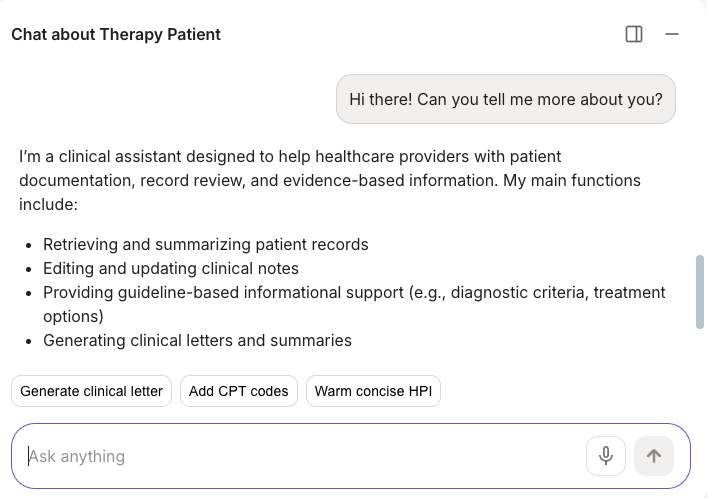
FQHCs often care for patients with complex medical and social needs. Clinical Evidence brings that context together.
With a simple chat function, you can:
- Review visit details or patient history
- Explore guideline-based information
- Analyze the patient record
- Generate patient letters, referrals, and more
… all in the same HIPAA-secure environment as your notes.
It also helps with edits — ask the assistant to summarize a section, convert text to bullet points, or tighten up language.
The result: clearer documentation, helpful clinical context, and fewer workflow interruptions, better continuity of care.
High-quality, accurate notes without mental drain
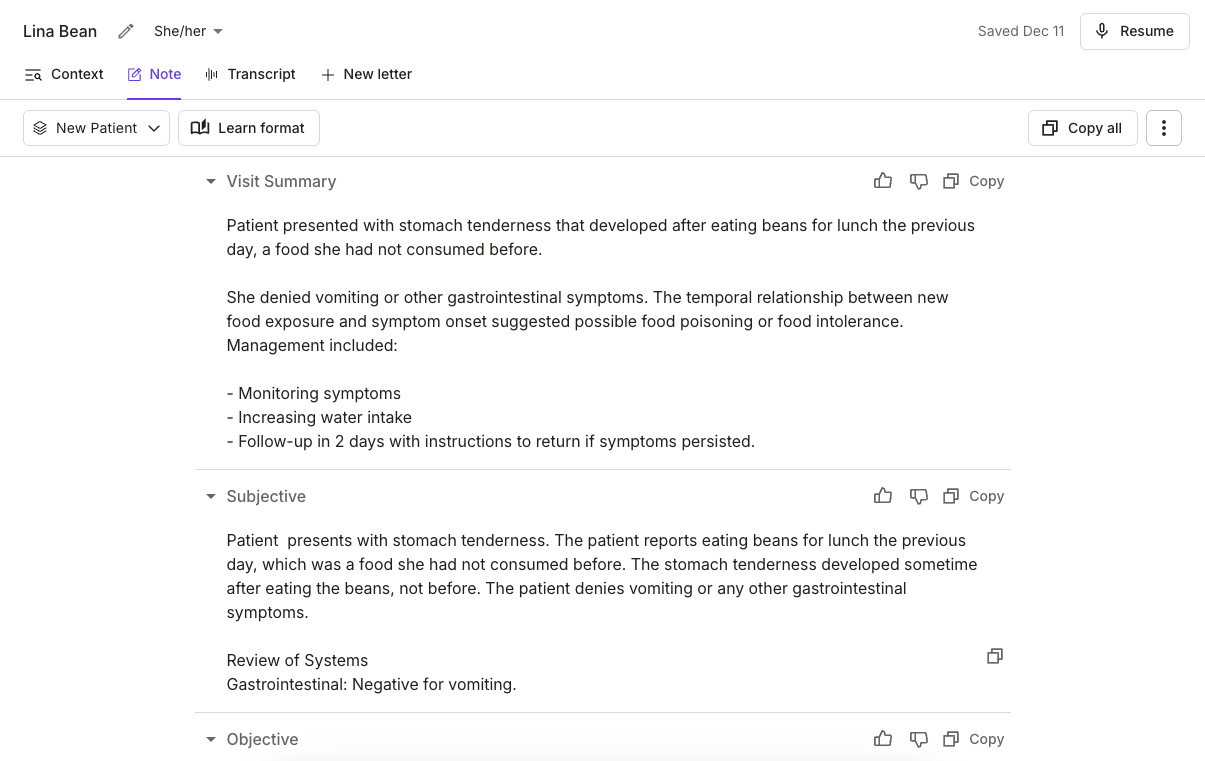
“I do feel like the piece that I find really cumbersome is taking notes. I don’t know — I just feel like it’s easier for me to just listen.” — Anita Vasudevan, MD, MPH
For FQHCs, that tension is familiar.
Sometimes, the biggest benefit is simple: chart-ready notes that reduce editing and after-hours charting.
Instead of reconstructing visits from memory, you can review and finalize notes in minutes.
This saves clinicians 2+ hours a day on average, meaning less “pajama time” and more energy left for patients — and life outside the clinic.
See how to get the perfect note, every time
Flexible, customizable templates
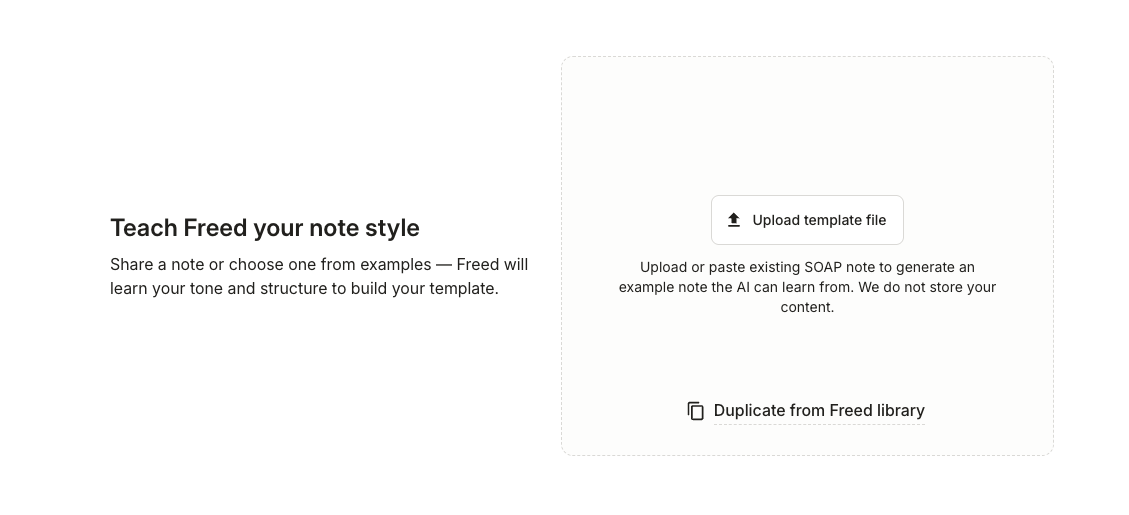
Every clinic (and clinician) documents a little differently. Freed makes it easy to tailor notes to your style.
Upload templates or click Learn Format to train Freed based on your edits.
“Whether it’s a family practice, OB/GYN, or other visit type, Freed interprets very quickly. It’s a learning capable technology, and as clinicians modify their notes, it adapts to how they like and prefer to document.” — Chris Fasulo, PA-C and Advanced Practice Provider Lead
Freed learns your structure, language, and level of detail so notes sound like you.
You can also edit an example note to:
- Add or remove sections
- Change formatting (bullets, paragraphs, numbered lists)
- Modify writing style and detail level
- Add verbatim text or standard phrases
- Include custom instructions
Get documentation that fits your workflow and reflects your voice.
Learn more about Freed’s customizable templates
Support multilingual visits
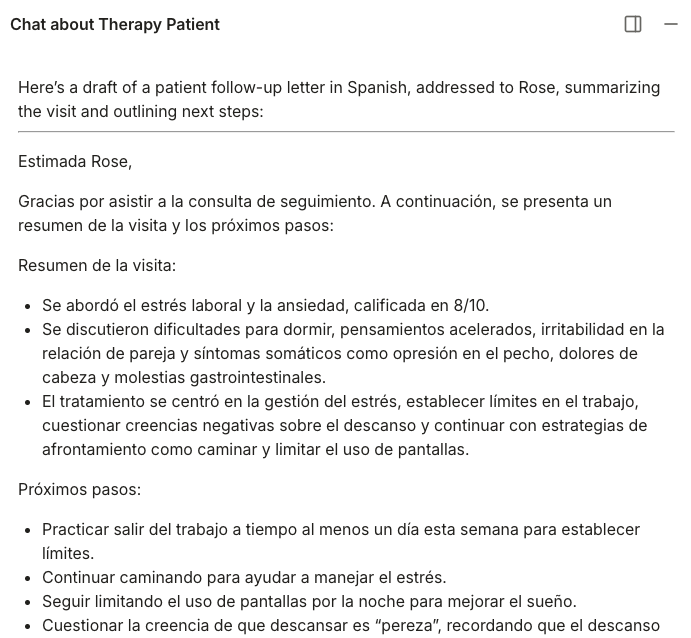
Many FQHCs serve multilingual communities, and visits frequently switch between languages.
Freed understands multiple languages and captures bilingual conversations naturally — translating the note into English.
“I speak about four languages and it picks up everything.” — Dr. Shekar, MD, Family Medicine
Supported languages include:
- English
- Spanish
- Mandarin
- French
- German
- Italian
- Portuguese
- Japanese
- Korean
… and more.
Use Clinical Evidence to generate patient letters and instructions in your chosen language. So your patients stay informed and connected.
Learn more about Freed’s multilingual support
Built-in coding to speed up billing
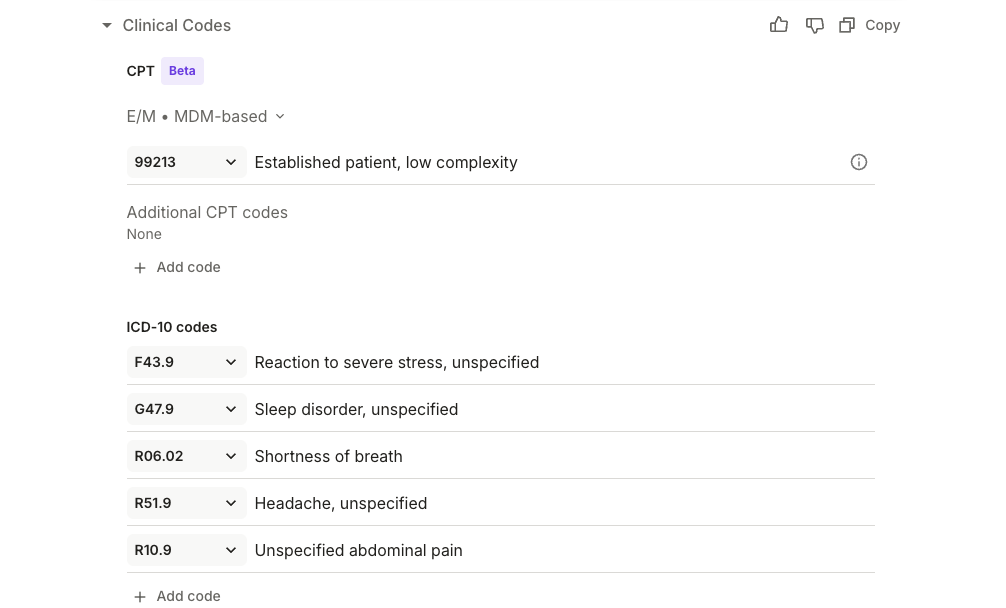
Documentation is only one step in the workflow. Freed helps billing by identifying relevant ICD-10 and CPT codes based on the visit context.
This means:
- Instant codes — Relevant ICD-10 and CPT codes appear as soon as the note is finished.
- Specialty-aware suggestions — Code predictions adapt to your specialty and the conditions you document most often.
- Seamless workflow (EHR sync coming soon) — Codes will soon sync directly into the EHR, helping close the loop from note to claim.
It’s a faster path from visit documentation to billing, with less manual searching along the way.
One-click EHR integration
You’re operating in clunky EHR environments. The last thing FQHCs need is another complex tool to learn.
Freed was designed to work across EHR systems with a simple browser-based workflow.
“We use EHR push with Athena. So the HPI that Freed interprets from the visit will show up in Athena, and the assessment and plan will show up in the A&P section in Athena. So it’s very beneficial and a big time-saver for our clinicians.” — Chris Fasulo, PA-C and Advanced Practice Provider Lead
With Freed’s Chrome extension, you can push notes directly into your EHR without complicated integrations or workflow changes.
That flexibility lets clinics adopt documentation support without overhauling your technology stack.
In other words, Freed adapts to your setup — not the other way around.
Case Study: How Camarena Health Saved 12,800 Clinical Hours in One Year
One example of Freed in action is Camarena Health, a large FQHC serving communities across California.
The organization has 40–50 providers across 24 clinic locations, all managing busy schedules and high documentation demands.
Before adopting Freed, the team relied on human scribes — but turnover and operational complexity made that model difficult to scale.
They tried several alternatives — including Athena’s native AI scribe — but chose Freed for its:
- Speed of note generation
- Note quality and accuracy
- Flexible pricing tiers
“It was essentially a no brainer.” — Chris Fasulo, PA-C and Advanced Practice Provider Lead
Today:
- 50+ clinicians actively use Freed
- It’s implemented in 24 sites across 10+ specialties
- 96,067 visits were documented in 2025
- Notes are pushed directly into Athena EHR
See how Camarena Health saved 12,800 Clinical Hours in One Year
Built for the clinics doing the hardest work
Community health centers take on some of the most important work in healthcare — serving patients with complex needs, often with tight resource constraints.
Freed lightens the admin load so clinicians can move through visits, complete notes faster, and spend less time charting.
For FQHC teams, that means more focus on patients, smoother clinic days, and documentation that finally keeps up with the pace of care.
See how Freed fits into the real workflow of community health clinics. Try for free.
FAQs
Frequently asked questions from clinicians and medical practitioners.

Does Freed work for group practices?

How can I get started with Freed?
Does Freed integrate with EHRs and EMRs?
How much does Freed cost?
Is Freed secure and compliant with healthcare rules and regulations?



548 Market Street, PMB 95301
San Francisco, CA 94104
Specialties
Compliance & Security
Our technology is HIPAA-compliant, uses industry best practices, and doesn’t store patient recordings.



