11 Best EMR Systems of 2026: Compared for Independent Practices
Choosing an EMR is one of the few software decisions you'll live with every single day. It shapes how fast you chart, how clean your claims go out, and whether you're finishing notes before dinner or after it.
The good news: independent practices have never had more options. The hard part: most "best EMR" lists read like vendor brochures. This one doesn't. Below, we compare 10 of the leading electronic medical record platforms of 2026 by specialty fit, pricing, AI features, and the honest watch-outs nobody puts on their pricing page — so you can build a shortlist without sitting through a dozen demos.
We'll also cover how an AI scribe fits in, because the fastest way to make any EMR less painful in 2026 isn't switching systems. It's getting the documentation off your plate.
Best EMR systems of 2026: Comparison chart
Note that in some cases, the above details are estimates, not exact quotes.
What is an EMR system?
An EMR (electronic medical record) is the digital version of a patient's chart inside a single practice. It holds visit notes, diagnoses, medications, lab results, and the history you build over time. Modern EMRs do far more than store records — they handle scheduling, e-prescribing, billing, patient messaging, telehealth, and the documentation that keeps you compliant.
You'll hear "EMR" and "EHR" used as if they're the same thing. They're close, but not identical. An EMR lives within one practice. An EHR (electronic health record) is built to follow the patient across providers and systems, with a fuller clinical picture and broader interoperability.
In practice, most cloud platforms sold today are technically EHRs — they share data — even when buyers still call them EMRs out of habit. For a buying decision, the label matters less than whether the system connects cleanly to the labs, pharmacies, and specialists you actually work with. (We break the distinction down further in EMR vs. EHR: What's the Difference?)
By 2024, roughly 95% of office-based physicians were already using an EMR. So for most practices, this isn't a question of going digital — it's a question of fit. The right system for a solo functional medicine clinic looks nothing like the right system for a 30-provider multispecialty group.
How we evaluated EMR systems
No EMR wins on every axis, so we weighed the criteria that actually drive independent-practice decisions:
- Ease of use. How many clicks to open and close a note? A system that needs twelve clicks instead of four, multiplied across twenty visits a day, is the difference between charting that ends at 5 p.m. and charting that ends at 10.
- Specialty fit. Purpose-built templates beat generic ones repurposed for your field. Specialty-native systems reduce editing; general-purpose systems often don't cover your workflow.
- Pricing and total cost. Not just the headline per-provider rate, but the add-ons — clearinghouse fees, portal fees, telehealth, e-prescribing, implementation, and revenue cycle percentages.
- AI features. Ambient documentation moved from add-on to expectation in 2026. We looked at whether AI is built in, how well it works, and what it costs.
- Support. Whether you get real help fast, or a ticket queue and a knowledge base.
- Integrations and interoperability. FHIR readiness, record-sharing networks, and how well the system plays with the rest of your stack.
11 Best EMRs for Independent Practices in 2026
1. Athenahealth

Best for
Independent ambulatory practices with meaningful billing complexity that want revenue cycle and documentation in one place.
Overview
Athenahealth is a fully cloud-native platform that pairs EHR, revenue cycle management, and patient engagement in one system. Its edge is the network: rules learned from collective billing data across 160,000+ providers feed back into every client, so when a payer changes a prior-authorization requirement, the system adapts for everyone. It earned Best in KLAS for Independent Physician Practice in 2025.
Key features
- Network-powered claims scrubbing and denial management
- Ambient documentation
- 250+ app marketplace
- Always-current cloud architecture with no version upgrades
Pricing
Quote-based and typically tied to a percentage of collections (often in the 4–7% range), sometimes available on a per-provider basis. Pricing scales with your revenue.
Pros
Among the strongest integrated RCM in ambulatory care; excellent for practices that want billing intelligence baked in.
Cons
The value is in the bundle — practices that want the chart without athena's billing services lose much of the point. High-revenue practices pay more in absolute dollars.
See how Freed works with Athenahealth.
2. Epic
Best for
Large hospitals, academic medical centers, and multi-site health systems.
Overview
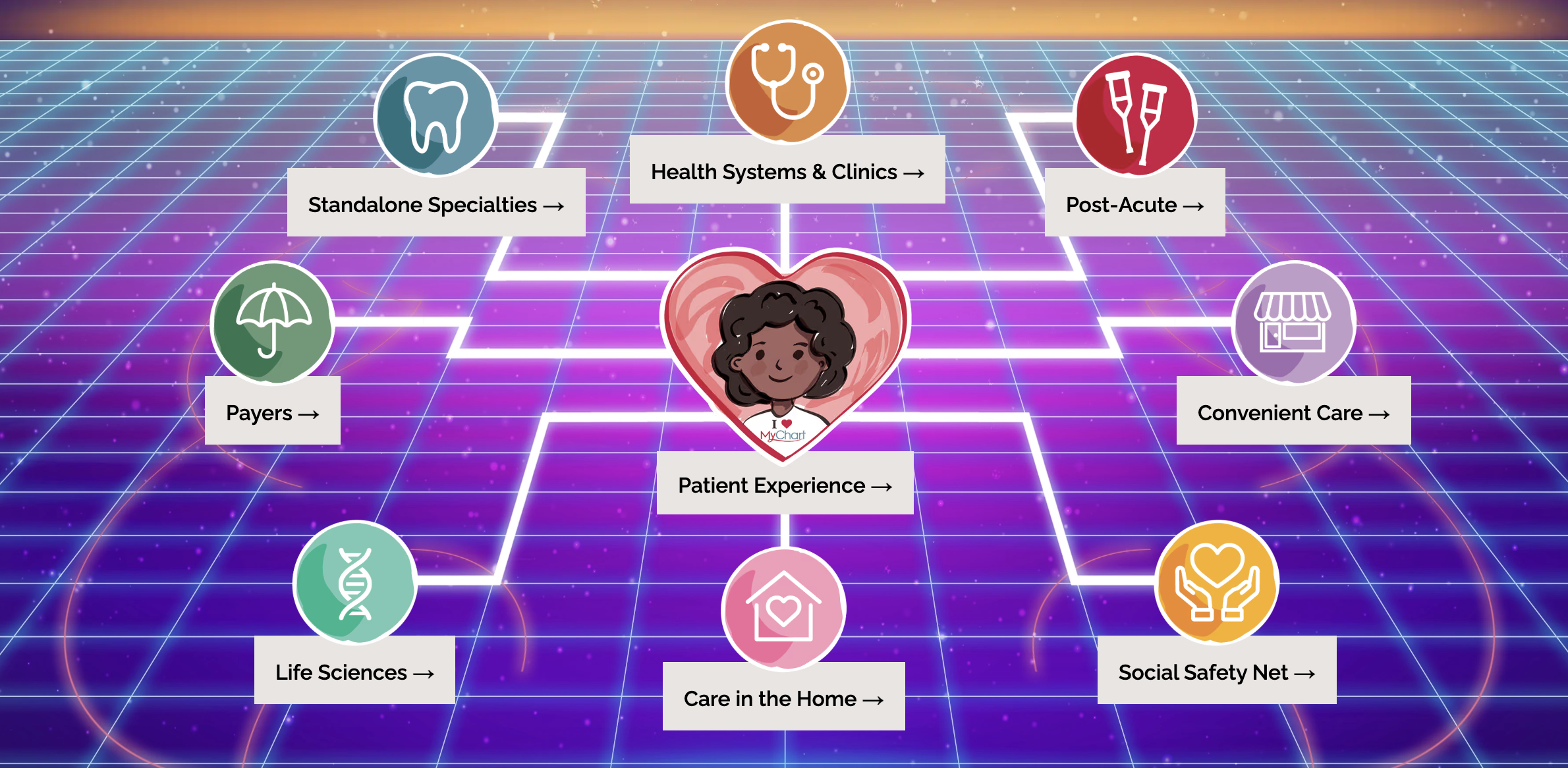
Epic is the giant. It holds the largest share of both the hospital and ambulatory markets — roughly 40%-plus of ambulatory by several 2026 estimates — and more than 250 million patients have a record in an Epic system. Its MyChart portal leads the market in adoption, and its Care Everywhere network pulls outside records in real time.
Key features
- Deep specialty modules (Beacon for oncology, Stork for obstetrics)
- Market-leading interoperability
- A mature app marketplace
Pricing
Custom enterprise contracts. Implementation costs run from hundreds of thousands into the millions, plus significant IT capacity.
Pros
Unmatched depth, interoperability, and ecosystem.
Cons
Overkill — and unaffordable — for most independent practices. Long rollouts and heavy IT requirements.
3. OmniMD
Best for
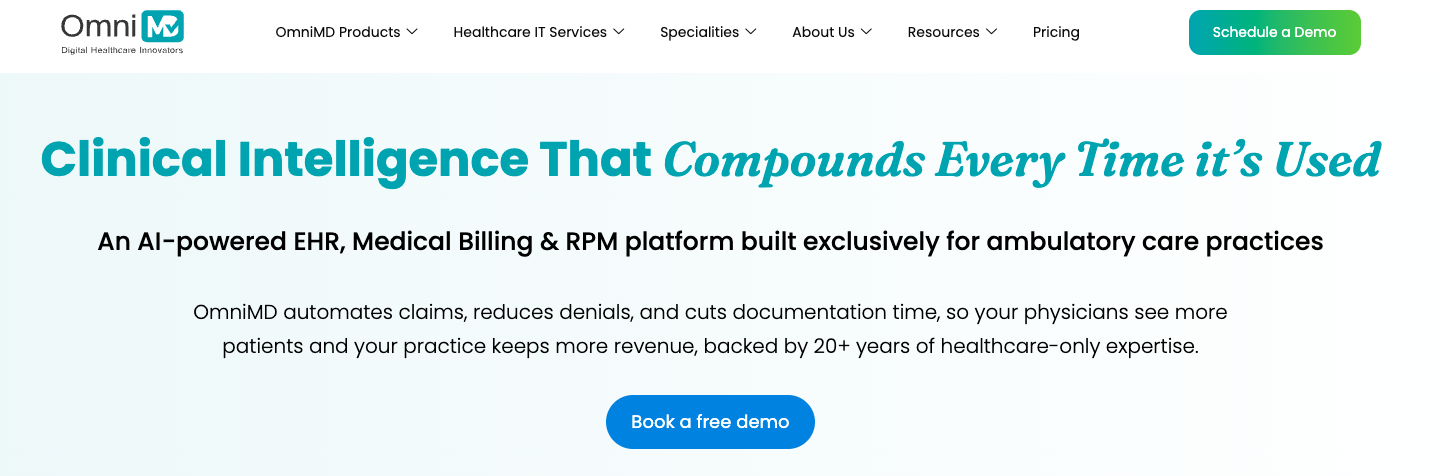
Independent and multi-specialty practices that want EHR, practice management, scheduling, and medical billing in a single cloud platform with a built-in clearinghouse so claims never leave the system to reach a third party.
Overview
OmniMD is a fully integrated, cloud-based healthcare platform that combines EHR, practice management, medical billing, scheduling, patient portal, and a native clearinghouse under one login. Unlike platforms that layer billing on as an add-on or route claims through a third-party clearinghouse, OmniMD processes claims internally,which reduces rejection rates and gives billing teams a single place to manage the entire revenue cycle.
Key features
- Integrated EHR + practice management + medical billing in one platform
- Native clearinghouse with built-in claims scrubbing and real-time eligibility verification
- AI-assisted clinical documentation and SOAP note generation
- Patient portal with online scheduling, messaging, and telehealth
- Multi-specialty support across primary care, urgent care, mental health, and more
Pricing
Quote-based. OmniMD does not publish a public price list — contact their team at omnimd.com for a customized quote based on practice size and modules required. RCM services are available bundled or standalone.
Pros
The native clearinghouse is a genuine differentiator — practices running billing in-house get claims management, RCM, and EHR in one workflow without stitching together separate vendors. Strong fit for practices that want to consolidate and reduce per-claim clearinghouse fees.
Cons
Pricing requires a sales conversation, which makes upfront comparisons harder. Practices that already have a preferred clearinghouse or RCM partner may not need the bundled model.
4. Kareo / Tebra

Best for
Small independent and specialty practices that want one system to run the whole front-to-back workflow.
Overview
Now branded Tebra, the former Kareo bundles charting, billing, scheduling, and patient marketing under one login. It was built for independent practices from the ground up rather than scaled down from an enterprise product, and it won Best in KLAS for small-practice ambulatory EMR/PM in 2021.
Key features
- All-in-one clinical and practice management
- 24/7 patient self-scheduling
- Patient acquisition tools,
- AI note drafting (sold separately as AI Note Assist).
Pricing
Roughly $99–$399 per provider per month depending on configuration. Tebra doesn't publish a fixed price list, so quotes vary.
Pros
Strong fit for independent offices that want billing, charting, and patient growth in one tool.
Cons
AI documentation is an add-on; pricing transparency is limited until you get a quote.
5. DrChrono
Best for
Mobile-first clinicians and small practices that want to chart from an iPad.
Overview
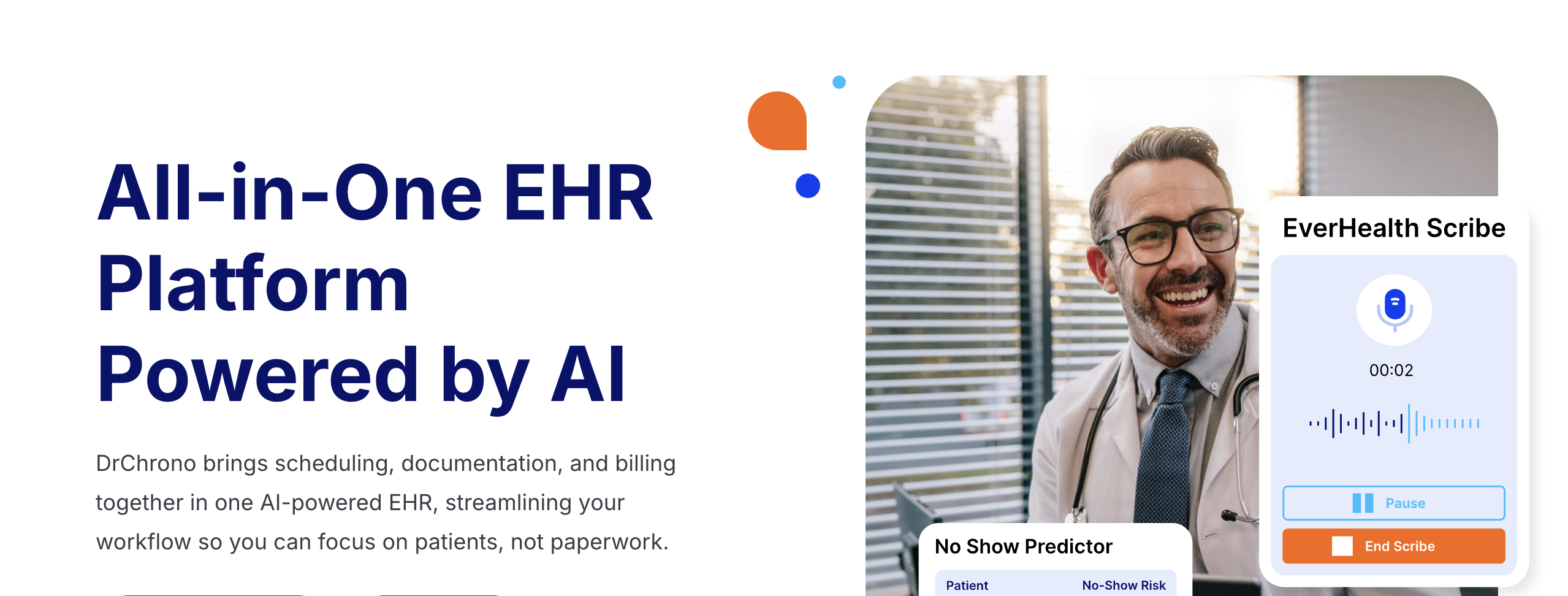
DrChrono built its reputation on mobility. Its native iPad and iPhone apps let you complete a full encounter — charting, scheduling, e-prescribing — without touching a desktop, which is why it's been named a top mobile EHR repeatedly. Clinical notes live in a single window to cut down on clicking.
Key features
- iOS-native charting
- Customizable medical forms and templates
- Integrated billing and RCM
- Telehealth
- Real-time eligibility checks.
Pricing
Roughly $199–$250 per provider per month at entry, rising to $300–$600+ for advanced plans. Quotes are customized.
Pros
Genuinely strong mobile experience; great for house-call physicians and providers who move between locations.
Cons
Support and billing setup draw mixed reviews; costs climb with add-ons and volume.
6. AdvancedMD
Best for
Multi-provider practices that need robust scheduling, billing, and admin control in one platform.
Overview
AdvancedMD is an all-in-one cloud platform that pulls scheduling, charting, billing, claims, e-prescribing, and telehealth into one system, with a capable patient portal and strong revenue management tools. It's built to scale as a practice grows.
Key features
- Integrated practice management and RCM
- Multi-factor authentication and robust security
- Customizable SOAP templates
- AI-assisted note generation
Pricing
Roughly $169–$729 per provider per month depending on the bundle. RCM services run about 4–8% of monthly collections. Implementation is extra.
Pros
Excellent scheduling and revenue features; scales well for groups with in-house billing teams.
Cons
Some users report performance and speed issues; the depth can feel heavy for very small offices.
7. Modernizing Medicine (ModMed)

Best for
Specialty practices in ModMed's covered fields that want workflows tuned to exactly how they work.
Overview
ModMed takes the opposite approach to general-purpose EMRs: it builds deep, physician-developed content for a specific set of specialties. Its EMA platform is iPad-first and learns each physician's documentation style, auto-suggesting exam notes and billing codes. It serves 40,000+ providers and ranked #1 across all 11 of its supported specialties in the 2024 Black Book survey.
Key features
- Specialty-native templates for dermatology, ophthalmology, orthopedics, gastroenterology OB/GYN, ENT, and more
- Ambient AI that turns conversations into suggested orders and labs
- HITRUST-certified security.
Pricing
Premium, often quoted north of $800 per user per month.
Pros
The deepest specialty content on the market for the fields it covers — built by clinicians who practice them.
Cons
Little value outside its supported specialties; the price needs real visit volume to justify.
8. Greenway Health
Best for
Established independent practices that value integrated revenue cycle and interoperability over a modern UI.
Overview
Greenway (its Intergy platform) is a long-standing option for independent and mid-sized practices that want clinical, financial, and administrative tools in one connected system. It participates in the CommonWell network for real-time data exchange and offers an AWS-backed telehealth solution.
Key features
- Integrated EHR and practice management
- Flexible workflow customization
- CommonWell interoperability
- Managed-hosting options
Pricing
Quote-based; Greenway does not publish public pricing.
Pros
Strong integrated billing and interoperability; flexible enough to mold to existing workflows.
Cons
The interface hasn't kept pace with newer platforms and frequently draws usability criticism.
9. Practice Fusion

Best for
Solo and very small practices on a tight budget that can pair it with outside billing.
Overview
Practice Fusion is the best-known free, cloud-based EMR aimed squarely at solo and small independent practices. It's lightweight, browser-based, and covers core charting, e-prescribing, scheduling, and a patient portal.
Key features
- Free
- Ad-supported access
- Cloud-based charting
- e-prescribing
- Lab integrations
- Patient portal
Pricing
Free (advertising-supported), with paid options for additional functionality.
Pros
Genuinely no-cost entry point for lean practices; easy to get started.
Cons
No built-in billing, so you'll need a separate system for revenue cycle. The ad-supported model isn't for everyone.
See how Freed works with Practice Fusion.
10. Jane App
Best for
Physiotherapists, massage therapists, dietitians, counselors, and multidisciplinary wellness clinics.
Overview
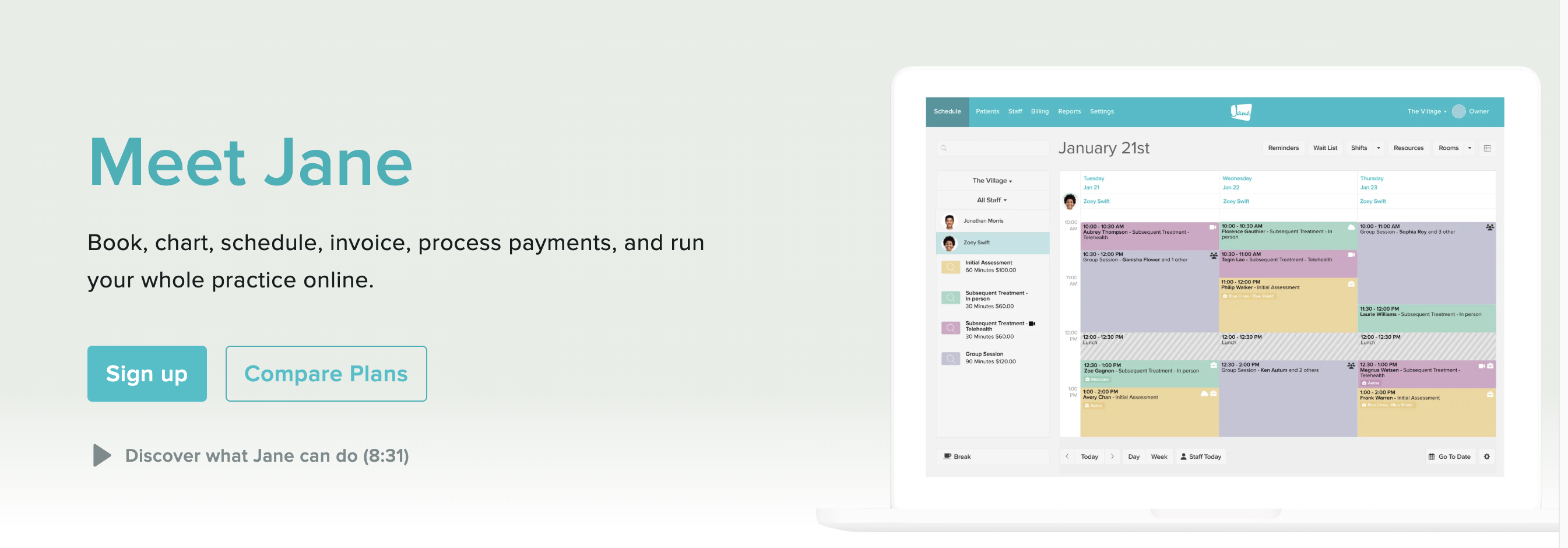
Jane is purpose-built for allied health, wellness, and mental health clinics, and it shows in the experience. Online booking, scheduling, charting, billing, telehealth, and patient communication live in one clean system that's consistently rated among the most intuitive in its segment — a 4.8 on Capterra across hundreds of reviews. It added an AI Scribe feature in 2025.
Key features
- Branded online booking
- Room and equipment scheduling
- Custom charting and a large template library
- Integrated payments
- HIPAA/PIPEDA/GDPR-compliant telehealth
- Patient-facing app
Pricing
Base plans from about $54–$99 per month, plus per-practitioner fees (roughly $17.50–$40 each). No long-term contracts.
Pros
Outstanding usability and support; ideal for interdisciplinary teams.
Cons
Built for allied health and wellness, not traditional medical practices; insurance billing is lighter than billing-led platforms.
See how Freed works with Jane.
11. NextGen Healthcare

Best for
Independent specialty practices that expect to grow and want a vendor that scales with them.
Overview
NextGen runs two products: NextGen Office for practices of 1–10 physicians, and NextGen Enterprise for larger groups. Office ships specialty "blueprints," ambient listening that drafts SOAP notes from the visit conversation, and integrated billing — with a path to upgrade as you scale.
Key features
- Specialty-specific templates
- Ambient AI documentation
- Integrated practice management and billing
- FHIR-based interoperability.
Pricing
Quote-based.
Pros
Solid specialty content and a clear growth path; backed by ongoing AI investment.
Cons
Office and Enterprise are separate systems, so "upgrading" is really a migration. Some specialty blueprints run deeper than others.
EMR system pricing guide 2026
EMR pricing can be surprisingly difficult to compare. While some vendors advertise straightforward monthly subscriptions, others bundle software with billing services, charge based on collections, or require custom enterprise contracts.
Before comparing vendors, it's important to understand the three most common pricing models—and what's actually included in the monthly fee.
Per-provider pricing
The most common pricing model is a monthly subscription charged for each physician or clinician using the platform.
This model is simple and predictable. As your practice grows, your software costs scale with the number of providers.
Typical pricing ranges from $100 to $700+ per provider per month, depending on the features included, specialty support, and whether practice management or revenue cycle management (RCM) is bundled into the platform.
Per-provider pricing is best for:
- Solo physicians
- Small group practices
- Practices with predictable staffing
Flat-rate pricing
Some EMR vendors offer flat monthly pricing, where your subscription covers the entire practice or a specific feature tier regardless of provider count.
While less common in traditional ambulatory EMRs, flat-rate pricing is popular among niche and allied health platforms. It can also be used for add-on modules such as patient engagement or telehealth.
Flat-rate pricing makes budgeting easier, but it's important to understand whether there are limits on users, patient volume, or available features.
Flat-rate pricing is best for:
- Small practices with stable staffing
- Cash-pay clinics
- Allied health providers
Percentage-of-collections pricing
Some vendors—most notably athenahealth—tie software costs to your monthly practice collections rather than charging a fixed subscription.
Instead of paying a set monthly fee, the vendor receives a percentage of collected revenue in exchange for providing the EMR along with revenue cycle management services.
For practices that want an outsourced billing partner, this model can simplify operations because software, claims management, and collections are closely integrated. However, practices with strong in-house billing teams may ultimately pay more than they would under a fixed subscription model as collections increase.
Percentage of collections pricing is best for:
- Practices outsourcing medical billing
- Rapidly growing clinics
- Organizations prioritizing revenue cycle performance
What's typically included?
Most modern cloud-based EMR subscriptions include the core tools needed to run a practice, such as:
- Patient charts and clinical documentation
- Appointment scheduling
- E-prescribing
- Clinical templates
- Lab integrations
- Patient portal
- Basic reporting
- Security updates and software maintenance
- Cloud hosting
Higher-tier plans often include telehealth, practice management, analytics, quality reporting, and patient communication tools.
Common add-on fees to watch for
The monthly subscription is rarely the total cost of ownership. Many vendors charge separately for services that aren't included in the base package.
Ask each vendor whether the following items require additional fees:
- Implementation and onboarding
- Data migration from your current EMR
- Staff training
- Revenue cycle management
- Clearinghouse and claims submission fees
- Electronic faxing
- Patient text messaging and appointment reminders
- Telehealth
- API or third-party integrations
- AI documentation features
- Premium customer support
- Custom reporting
- Contract termination or data export
These costs can add thousands of dollars during implementation—or over the life of your contract—so request a detailed quote that includes both recurring and one-time fees before making a decision.
Don't compare price alone
The least expensive EMR isn't always the lowest-cost option over time.
A platform with a higher subscription fee may reduce administrative work through stronger automation, better billing workflows, faster documentation, or built-in AI features. Likewise, a lower-cost system can become expensive if it requires multiple third-party tools or additional staff time to accomplish routine tasks.
When evaluating EMR systems, consider the total cost of ownership, including implementation, ongoing subscriptions, add-ons, training, support, and the productivity impact on clinicians, not just the advertised monthly price.
How to choose an EMR for your practice
The best EMR isn't the one with the longest feature list. It's the one that fits how your team actually works — and that your staff can learn in hours, not weeks.
Questions to ask vendors
- What is the total annual cost per provider, including every add-on fee?
- How many clicks does it take to open, complete, and close a typical note?
- Are the specialty templates built for my field, or adapted from a generic set?
- Is AI documentation included or extra, and how does it handle my specialty's language?
- What does implementation look like, how long does it take, and what's the cost?
- How do you handle interoperability with my labs, pharmacies, and referral partners?
- What does support actually look like after go-live — and who answers the phone?
Red flags during demos
- The demo only shows polished, pre-built scenarios and avoids live charting.
- Pricing comes in pieces, with fees that surface late in the conversation.
- "Customization" is pitched so heavily that you sense the out-of-the-box workflow is thin.
- Reporting requires non-obvious steps to pull basic numbers.
- The rep can't give you a straight answer on annual price increases.
Free trial checklist
If you can test before you commit, pressure-test the things that bite later:
- Chart a few real visit types end to end and count the clicks.
- Run a claim through and see how clean it goes out.
- Try the AI documentation on your specialty and measure how much you have to edit.
- Have your front desk run scheduling and intake for a day.
- Time how long onboarding takes for one new user.
A steep learning curve is a warning sign. The right system reduces friction from day one rather than demanding ongoing configuration.
How AI scribes work alongside any EMR
Here's the part most EMR comparisons miss: the biggest source of daily pain usually isn't the EMR itself. It's the documentation. Clinicians report spending two-plus hours a day charting, and switching systems rarely fixes that on its own.
That's where an AI scribe comes in — and it's worth being clear about what it does. An AI scribe like Freed doesn't replace your EMR. It works alongside whatever you already use. Freed listens during the visit, writes the note in your format, and pushes it into the right fields in your EMR — so your records stay clean and you stay out of the after-hours charting spiral.
A few things make that easy:
- It works with any web-based EMR. No integration project, no IT tickets. Freed runs through a browser extension, so it sits on top of the system you already have.
- You're set up the same day. Most scribes built into EMRs take weeks or months to configure. Freed takes minutes.
- It learns your style. Tell Freed your specialty and it selects templates built by real clinicians; edit a note once and it learns your format going forward.
- It's built for clinician trust. HIPAA-compliant, SOC 2-certified, and HITECH-aligned, with no patient recordings stored.
Pricing starts around $39 per clinician per month, with volume discounts on annual plans and a 7-day free trial (no credit card). So whether you land on athenahealth, Practice Fusion, Jane, or anything in between, the documentation can be off your plate — and your EMR can go back to being a record, not a second job.
The right EMR matters. The documentation matters too.
Freed listens during the visit, writes the note in your voice and format, and pushes it into your EMR — whatever you use. You're set up the same day, and your records stay clean while you go home when your last patient does.
Try Freed free for 7 days — no credit card, no commitment. Keep the EMR you have. Just lose the after-hours charting.

11 Best EMR Systems of 2026: Compared for Independent Practices
Table of Contents
Choosing an EMR is one of the few software decisions you'll live with every single day. It shapes how fast you chart, how clean your claims go out, and whether you're finishing notes before dinner or after it.
The good news: independent practices have never had more options. The hard part: most "best EMR" lists read like vendor brochures. This one doesn't. Below, we compare 10 of the leading electronic medical record platforms of 2026 by specialty fit, pricing, AI features, and the honest watch-outs nobody puts on their pricing page — so you can build a shortlist without sitting through a dozen demos.
We'll also cover how an AI scribe fits in, because the fastest way to make any EMR less painful in 2026 isn't switching systems. It's getting the documentation off your plate.
Best EMR systems of 2026: Comparison chart
Note that in some cases, the above details are estimates, not exact quotes.
What is an EMR system?
An EMR (electronic medical record) is the digital version of a patient's chart inside a single practice. It holds visit notes, diagnoses, medications, lab results, and the history you build over time. Modern EMRs do far more than store records — they handle scheduling, e-prescribing, billing, patient messaging, telehealth, and the documentation that keeps you compliant.
You'll hear "EMR" and "EHR" used as if they're the same thing. They're close, but not identical. An EMR lives within one practice. An EHR (electronic health record) is built to follow the patient across providers and systems, with a fuller clinical picture and broader interoperability.
In practice, most cloud platforms sold today are technically EHRs — they share data — even when buyers still call them EMRs out of habit. For a buying decision, the label matters less than whether the system connects cleanly to the labs, pharmacies, and specialists you actually work with. (We break the distinction down further in EMR vs. EHR: What's the Difference?)
By 2024, roughly 95% of office-based physicians were already using an EMR. So for most practices, this isn't a question of going digital — it's a question of fit. The right system for a solo functional medicine clinic looks nothing like the right system for a 30-provider multispecialty group.
How we evaluated EMR systems
No EMR wins on every axis, so we weighed the criteria that actually drive independent-practice decisions:
- Ease of use. How many clicks to open and close a note? A system that needs twelve clicks instead of four, multiplied across twenty visits a day, is the difference between charting that ends at 5 p.m. and charting that ends at 10.
- Specialty fit. Purpose-built templates beat generic ones repurposed for your field. Specialty-native systems reduce editing; general-purpose systems often don't cover your workflow.
- Pricing and total cost. Not just the headline per-provider rate, but the add-ons — clearinghouse fees, portal fees, telehealth, e-prescribing, implementation, and revenue cycle percentages.
- AI features. Ambient documentation moved from add-on to expectation in 2026. We looked at whether AI is built in, how well it works, and what it costs.
- Support. Whether you get real help fast, or a ticket queue and a knowledge base.
- Integrations and interoperability. FHIR readiness, record-sharing networks, and how well the system plays with the rest of your stack.
11 Best EMRs for Independent Practices in 2026
1. Athenahealth
Best for
Independent ambulatory practices with meaningful billing complexity that want revenue cycle and documentation in one place.
Overview
Athenahealth is a fully cloud-native platform that pairs EHR, revenue cycle management, and patient engagement in one system. Its edge is the network: rules learned from collective billing data across 160,000+ providers feed back into every client, so when a payer changes a prior-authorization requirement, the system adapts for everyone. It earned Best in KLAS for Independent Physician Practice in 2025.
Key features
- Network-powered claims scrubbing and denial management
- Ambient documentation
- 250+ app marketplace
- Always-current cloud architecture with no version upgrades
Pricing
Quote-based and typically tied to a percentage of collections (often in the 4–7% range), sometimes available on a per-provider basis. Pricing scales with your revenue.
Pros
Among the strongest integrated RCM in ambulatory care; excellent for practices that want billing intelligence baked in.
Cons
The value is in the bundle — practices that want the chart without athena's billing services lose much of the point. High-revenue practices pay more in absolute dollars.
See how Freed works with Athenahealth.
2. Epic
Best for
Large hospitals, academic medical centers, and multi-site health systems.
Overview
Epic is the giant. It holds the largest share of both the hospital and ambulatory markets — roughly 40%-plus of ambulatory by several 2026 estimates — and more than 250 million patients have a record in an Epic system. Its MyChart portal leads the market in adoption, and its Care Everywhere network pulls outside records in real time.
Key features
- Deep specialty modules (Beacon for oncology, Stork for obstetrics)
- Market-leading interoperability
- A mature app marketplace
Pricing
Custom enterprise contracts. Implementation costs run from hundreds of thousands into the millions, plus significant IT capacity.
Pros
Unmatched depth, interoperability, and ecosystem.
Cons
Overkill — and unaffordable — for most independent practices. Long rollouts and heavy IT requirements.
3. OmniMD
Best for
Independent and multi-specialty practices that want EHR, practice management, scheduling, and medical billing in a single cloud platform with a built-in clearinghouse so claims never leave the system to reach a third party.
Overview
OmniMD is a fully integrated, cloud-based healthcare platform that combines EHR, practice management, medical billing, scheduling, patient portal, and a native clearinghouse under one login. Unlike platforms that layer billing on as an add-on or route claims through a third-party clearinghouse, OmniMD processes claims internally,which reduces rejection rates and gives billing teams a single place to manage the entire revenue cycle.
Key features
- Integrated EHR + practice management + medical billing in one platform
- Native clearinghouse with built-in claims scrubbing and real-time eligibility verification
- AI-assisted clinical documentation and SOAP note generation
- Patient portal with online scheduling, messaging, and telehealth
- Multi-specialty support across primary care, urgent care, mental health, and more
Pricing
Quote-based. OmniMD does not publish a public price list — contact their team at omnimd.com for a customized quote based on practice size and modules required. RCM services are available bundled or standalone.
Pros
The native clearinghouse is a genuine differentiator — practices running billing in-house get claims management, RCM, and EHR in one workflow without stitching together separate vendors. Strong fit for practices that want to consolidate and reduce per-claim clearinghouse fees.
Cons
Pricing requires a sales conversation, which makes upfront comparisons harder. Practices that already have a preferred clearinghouse or RCM partner may not need the bundled model.
4. Kareo / Tebra
Best for
Small independent and specialty practices that want one system to run the whole front-to-back workflow.
Overview
Now branded Tebra, the former Kareo bundles charting, billing, scheduling, and patient marketing under one login. It was built for independent practices from the ground up rather than scaled down from an enterprise product, and it won Best in KLAS for small-practice ambulatory EMR/PM in 2021.
Key features
- All-in-one clinical and practice management
- 24/7 patient self-scheduling
- Patient acquisition tools,
- AI note drafting (sold separately as AI Note Assist).
Pricing
Roughly $99–$399 per provider per month depending on configuration. Tebra doesn't publish a fixed price list, so quotes vary.
Pros
Strong fit for independent offices that want billing, charting, and patient growth in one tool.
Cons
AI documentation is an add-on; pricing transparency is limited until you get a quote.
5. DrChrono
Best for
Mobile-first clinicians and small practices that want to chart from an iPad.
Overview
DrChrono built its reputation on mobility. Its native iPad and iPhone apps let you complete a full encounter — charting, scheduling, e-prescribing — without touching a desktop, which is why it's been named a top mobile EHR repeatedly. Clinical notes live in a single window to cut down on clicking.
Key features
- iOS-native charting
- Customizable medical forms and templates
- Integrated billing and RCM
- Telehealth
- Real-time eligibility checks.
Pricing
Roughly $199–$250 per provider per month at entry, rising to $300–$600+ for advanced plans. Quotes are customized.
Pros
Genuinely strong mobile experience; great for house-call physicians and providers who move between locations.
Cons
Support and billing setup draw mixed reviews; costs climb with add-ons and volume.
6. AdvancedMD
Best for
Multi-provider practices that need robust scheduling, billing, and admin control in one platform.
Overview
AdvancedMD is an all-in-one cloud platform that pulls scheduling, charting, billing, claims, e-prescribing, and telehealth into one system, with a capable patient portal and strong revenue management tools. It's built to scale as a practice grows.
Key features
- Integrated practice management and RCM
- Multi-factor authentication and robust security
- Customizable SOAP templates
- AI-assisted note generation
Pricing
Roughly $169–$729 per provider per month depending on the bundle. RCM services run about 4–8% of monthly collections. Implementation is extra.
Pros
Excellent scheduling and revenue features; scales well for groups with in-house billing teams.
Cons
Some users report performance and speed issues; the depth can feel heavy for very small offices.
7. Modernizing Medicine (ModMed)
Best for
Specialty practices in ModMed's covered fields that want workflows tuned to exactly how they work.
Overview
ModMed takes the opposite approach to general-purpose EMRs: it builds deep, physician-developed content for a specific set of specialties. Its EMA platform is iPad-first and learns each physician's documentation style, auto-suggesting exam notes and billing codes. It serves 40,000+ providers and ranked #1 across all 11 of its supported specialties in the 2024 Black Book survey.
Key features
- Specialty-native templates for dermatology, ophthalmology, orthopedics, gastroenterology OB/GYN, ENT, and more
- Ambient AI that turns conversations into suggested orders and labs
- HITRUST-certified security.
Pricing
Premium, often quoted north of $800 per user per month.
Pros
The deepest specialty content on the market for the fields it covers — built by clinicians who practice them.
Cons
Little value outside its supported specialties; the price needs real visit volume to justify.
8. Greenway Health
Best for
Established independent practices that value integrated revenue cycle and interoperability over a modern UI.
Overview
Greenway (its Intergy platform) is a long-standing option for independent and mid-sized practices that want clinical, financial, and administrative tools in one connected system. It participates in the CommonWell network for real-time data exchange and offers an AWS-backed telehealth solution.
Key features
- Integrated EHR and practice management
- Flexible workflow customization
- CommonWell interoperability
- Managed-hosting options
Pricing
Quote-based; Greenway does not publish public pricing.
Pros
Strong integrated billing and interoperability; flexible enough to mold to existing workflows.
Cons
The interface hasn't kept pace with newer platforms and frequently draws usability criticism.
9. Practice Fusion
Best for
Solo and very small practices on a tight budget that can pair it with outside billing.
Overview
Practice Fusion is the best-known free, cloud-based EMR aimed squarely at solo and small independent practices. It's lightweight, browser-based, and covers core charting, e-prescribing, scheduling, and a patient portal.
Key features
- Free
- Ad-supported access
- Cloud-based charting
- e-prescribing
- Lab integrations
- Patient portal
Pricing
Free (advertising-supported), with paid options for additional functionality.
Pros
Genuinely no-cost entry point for lean practices; easy to get started.
Cons
No built-in billing, so you'll need a separate system for revenue cycle. The ad-supported model isn't for everyone.
See how Freed works with Practice Fusion.
10. Jane App
Best for
Physiotherapists, massage therapists, dietitians, counselors, and multidisciplinary wellness clinics.
Overview
Jane is purpose-built for allied health, wellness, and mental health clinics, and it shows in the experience. Online booking, scheduling, charting, billing, telehealth, and patient communication live in one clean system that's consistently rated among the most intuitive in its segment — a 4.8 on Capterra across hundreds of reviews. It added an AI Scribe feature in 2025.
Key features
- Branded online booking
- Room and equipment scheduling
- Custom charting and a large template library
- Integrated payments
- HIPAA/PIPEDA/GDPR-compliant telehealth
- Patient-facing app
Pricing
Base plans from about $54–$99 per month, plus per-practitioner fees (roughly $17.50–$40 each). No long-term contracts.
Pros
Outstanding usability and support; ideal for interdisciplinary teams.
Cons
Built for allied health and wellness, not traditional medical practices; insurance billing is lighter than billing-led platforms.
See how Freed works with Jane.
11. NextGen Healthcare
Best for
Independent specialty practices that expect to grow and want a vendor that scales with them.
Overview
NextGen runs two products: NextGen Office for practices of 1–10 physicians, and NextGen Enterprise for larger groups. Office ships specialty "blueprints," ambient listening that drafts SOAP notes from the visit conversation, and integrated billing — with a path to upgrade as you scale.
Key features
- Specialty-specific templates
- Ambient AI documentation
- Integrated practice management and billing
- FHIR-based interoperability.
Pricing
Quote-based.
Pros
Solid specialty content and a clear growth path; backed by ongoing AI investment.
Cons
Office and Enterprise are separate systems, so "upgrading" is really a migration. Some specialty blueprints run deeper than others.
EMR system pricing guide 2026
EMR pricing can be surprisingly difficult to compare. While some vendors advertise straightforward monthly subscriptions, others bundle software with billing services, charge based on collections, or require custom enterprise contracts.
Before comparing vendors, it's important to understand the three most common pricing models—and what's actually included in the monthly fee.
Per-provider pricing
The most common pricing model is a monthly subscription charged for each physician or clinician using the platform.
This model is simple and predictable. As your practice grows, your software costs scale with the number of providers.
Typical pricing ranges from $100 to $700+ per provider per month, depending on the features included, specialty support, and whether practice management or revenue cycle management (RCM) is bundled into the platform.
Per-provider pricing is best for:
- Solo physicians
- Small group practices
- Practices with predictable staffing
Flat-rate pricing
Some EMR vendors offer flat monthly pricing, where your subscription covers the entire practice or a specific feature tier regardless of provider count.
While less common in traditional ambulatory EMRs, flat-rate pricing is popular among niche and allied health platforms. It can also be used for add-on modules such as patient engagement or telehealth.
Flat-rate pricing makes budgeting easier, but it's important to understand whether there are limits on users, patient volume, or available features.
Flat-rate pricing is best for:
- Small practices with stable staffing
- Cash-pay clinics
- Allied health providers
Percentage-of-collections pricing
Some vendors—most notably athenahealth—tie software costs to your monthly practice collections rather than charging a fixed subscription.
Instead of paying a set monthly fee, the vendor receives a percentage of collected revenue in exchange for providing the EMR along with revenue cycle management services.
For practices that want an outsourced billing partner, this model can simplify operations because software, claims management, and collections are closely integrated. However, practices with strong in-house billing teams may ultimately pay more than they would under a fixed subscription model as collections increase.
Percentage of collections pricing is best for:
- Practices outsourcing medical billing
- Rapidly growing clinics
- Organizations prioritizing revenue cycle performance
What's typically included?
Most modern cloud-based EMR subscriptions include the core tools needed to run a practice, such as:
- Patient charts and clinical documentation
- Appointment scheduling
- E-prescribing
- Clinical templates
- Lab integrations
- Patient portal
- Basic reporting
- Security updates and software maintenance
- Cloud hosting
Higher-tier plans often include telehealth, practice management, analytics, quality reporting, and patient communication tools.
Common add-on fees to watch for
The monthly subscription is rarely the total cost of ownership. Many vendors charge separately for services that aren't included in the base package.
Ask each vendor whether the following items require additional fees:
- Implementation and onboarding
- Data migration from your current EMR
- Staff training
- Revenue cycle management
- Clearinghouse and claims submission fees
- Electronic faxing
- Patient text messaging and appointment reminders
- Telehealth
- API or third-party integrations
- AI documentation features
- Premium customer support
- Custom reporting
- Contract termination or data export
These costs can add thousands of dollars during implementation—or over the life of your contract—so request a detailed quote that includes both recurring and one-time fees before making a decision.
Don't compare price alone
The least expensive EMR isn't always the lowest-cost option over time.
A platform with a higher subscription fee may reduce administrative work through stronger automation, better billing workflows, faster documentation, or built-in AI features. Likewise, a lower-cost system can become expensive if it requires multiple third-party tools or additional staff time to accomplish routine tasks.
When evaluating EMR systems, consider the total cost of ownership, including implementation, ongoing subscriptions, add-ons, training, support, and the productivity impact on clinicians, not just the advertised monthly price.
How to choose an EMR for your practice
The best EMR isn't the one with the longest feature list. It's the one that fits how your team actually works — and that your staff can learn in hours, not weeks.
Questions to ask vendors
- What is the total annual cost per provider, including every add-on fee?
- How many clicks does it take to open, complete, and close a typical note?
- Are the specialty templates built for my field, or adapted from a generic set?
- Is AI documentation included or extra, and how does it handle my specialty's language?
- What does implementation look like, how long does it take, and what's the cost?
- How do you handle interoperability with my labs, pharmacies, and referral partners?
- What does support actually look like after go-live — and who answers the phone?
Red flags during demos
- The demo only shows polished, pre-built scenarios and avoids live charting.
- Pricing comes in pieces, with fees that surface late in the conversation.
- "Customization" is pitched so heavily that you sense the out-of-the-box workflow is thin.
- Reporting requires non-obvious steps to pull basic numbers.
- The rep can't give you a straight answer on annual price increases.
Free trial checklist
If you can test before you commit, pressure-test the things that bite later:
- Chart a few real visit types end to end and count the clicks.
- Run a claim through and see how clean it goes out.
- Try the AI documentation on your specialty and measure how much you have to edit.
- Have your front desk run scheduling and intake for a day.
- Time how long onboarding takes for one new user.
A steep learning curve is a warning sign. The right system reduces friction from day one rather than demanding ongoing configuration.
How AI scribes work alongside any EMR
Here's the part most EMR comparisons miss: the biggest source of daily pain usually isn't the EMR itself. It's the documentation. Clinicians report spending two-plus hours a day charting, and switching systems rarely fixes that on its own.
That's where an AI scribe comes in — and it's worth being clear about what it does. An AI scribe like Freed doesn't replace your EMR. It works alongside whatever you already use. Freed listens during the visit, writes the note in your format, and pushes it into the right fields in your EMR — so your records stay clean and you stay out of the after-hours charting spiral.
A few things make that easy:
- It works with any web-based EMR. No integration project, no IT tickets. Freed runs through a browser extension, so it sits on top of the system you already have.
- You're set up the same day. Most scribes built into EMRs take weeks or months to configure. Freed takes minutes.
- It learns your style. Tell Freed your specialty and it selects templates built by real clinicians; edit a note once and it learns your format going forward.
- It's built for clinician trust. HIPAA-compliant, SOC 2-certified, and HITECH-aligned, with no patient recordings stored.
Pricing starts around $39 per clinician per month, with volume discounts on annual plans and a 7-day free trial (no credit card). So whether you land on athenahealth, Practice Fusion, Jane, or anything in between, the documentation can be off your plate — and your EMR can go back to being a record, not a second job.
The right EMR matters. The documentation matters too.
Freed listens during the visit, writes the note in your voice and format, and pushes it into your EMR — whatever you use. You're set up the same day, and your records stay clean while you go home when your last patient does.
Try Freed free for 7 days — no credit card, no commitment. Keep the EMR you have. Just lose the after-hours charting.
FAQs
Frequently asked questions from clinicians and medical practitioners.

What defines an EMR?

Do hospitals have an EHR or EMR?
What is the difference between EHR and EMR?
What is the difference between EMR, EHR, and PHR?
Does Freed integrate with EHRs and EMRs?

Related content
Free yourself for better things


548 Market Street, PMB 95301
San Francisco, CA 94104
Specialties
Compliance & Security
Our technology is HIPAA-compliant, uses industry best practices, and doesn’t store patient recordings.