


12 Best Medical Receptionist Software Tools in 2026
Medical receptionists are skilled, empathetic people managing complex workflows from memory — juggling phones, walk-ins, insurance questions, and scheduling conflicts simultaneously. They're invaluable. They're also human. And in a busy practice, human bandwidth runs out fast.
A front‑office team that spends minutes rather than hours on repetitive tasks can focus on what really matters: welcoming patients and keeping the schedule on track.
Recent industry data suggests that roughly 70–85% of U.S. medical practices now use some form of digital practice management or reception software for scheduling, billing, or intake. A digital or AI-driven front desk can alleviate much of the multitasking that has traditionally fallen on front office teams.
With all of that in mind, we’ve explored 12 top medical receptionist software tools being used by
Front desk and medical receptionist tools: Quick comparison table
| Category | Tool | Core focus | Best for | Key strength | Key limitation |
|---|---|---|---|---|---|
| AI front desk / conversational AI receptionist | Freed | AI receptionist that answers calls, captures structured intake, and triages patient requests | Small clinics needing reliable call coverage and fewer missed requests | Always-on call handling with resolution-focused intake | Early rollout; not a full PM/EHR platform |
| AI modular roles (reception + scribe + more) | Sully.ai | Modular AI roles (receptionist, scribe, interpreter, coder) | AI-forward clinics scaling AI | Expand AI capabilities over time | Newer platform; less field-tested |
| AI front desk / conversational AI receptionist | Klinic | 24/7 AI receptionist handling calls, texts, benefits verification | Practices losing revenue to missed calls | After-hours coverage and patient conversion | No billing or clinical documentation |
| Patient communication & engagement platforms | Weave | Unified phones, texting, reminders, intake forms | Small–mid practices shifting from phone to digital | Centralized communication | Not full PM/EHR |
| Patient communication & engagement platforms | Luma Health | Scheduling automation, care gap outreach, referral tracking | Multi-location practices, health systems | Advanced scheduling and recall automation | No billing module |
| Patient communication & engagement platforms | Mend | Digital intake + telehealth + predictive scheduling | Behavioral health, hybrid care models | Intake-to-video workflow | Not autonomous AI receptionist |
| Full practice management (PM + EHR + billing) | AdvancedMD | Enterprise PM + billing + analytics | Mid-large practices | Deep integration across scheduling, billing, analytics | Steep learning curve |
| Full practice management (PM + EHR + billing) | DrChrono | Mobile-first EHR + PM + billing + telehealth | Solo/small mobile practices | iPad check-in and telehealth | Lighter analytics |
| Full practice management (PM + EHR + billing) | Tebra | PM + billing + patient engagement | Independent outpatient practices | All-in-one for independents | Reporting less robust |
| Full practice management (PM + EHR + billing) | SimplePractice | Lightweight PM + client portal + billing | Solo clinicians, therapists | Clean UI and affordability | Limited multi-location scalability |
| Human-powered virtual reception | Portiva | Remote, trained human medical assistants | Practices wanting human judgment without hiring FTE | Real humans handle complex workflows | Higher per-hour cost than AI |
Core functionalities in medical receptionist tools
Not all medical receptionist software covers the same ground. Before evaluating specific tools, it helps to know which features actually move the needle, and why. Here's what to look for:
| Feature | What it does | Why it matters |
|---|---|---|
| Appointment scheduling | Real-time calendar, automated reminders, provider-specific rules | Cuts down on no-shows and balances provider load |
| Patient self check-in | Kiosk or mobile QR code, insurance capture, consent forms | Reduces front-desk bottlenecks |
| Billing and insurance integration | Claim generation, eligibility verification, payment posting | Speeds revenue cycle and lowers errors |
| Reporting and analytics | Daily volumes, wait times, revenue trends | Informs staffing and growth decisions |
| Secure messaging | HIPAA-compliant chat between staff and patients | Improves satisfaction and reduces phone traffic |
| Telehealth lobby | Virtual waiting room and visit link generation | Bridges in-person and remote visits |
| Role-based access control | Granular permissions and audit logs | Meets compliance requirements and protects PHI |
12 best medical receptionist software tools [2026]
1. Freed

Freed is a flexible, always-on AI receptionist built for modern clinics. It answers patient calls, captures structured intake, and triages requests so nothing falls through the cracks — helping clinics book more appointments and reduce the chaos of phone tag and voicemail.
Instead of forcing patients through rigid phone trees or endless hold times, Freed focuses on resolution. Calls are answered, requests are captured with structured next steps, and clinic teams can follow up quickly when human judgment is needed.
Freed is the industry-leading AI scribe, and is evolving above an AI documentation platform already trusted by 26,000+ clinicians. Now, it extends that same clinician-first philosophy to the front desk — helping smaller practices handle patient communication without needing to expand staff.
Best for:
Small and growing clinics that want reliable call coverage, structured intake, and fewer missed patient requests.
Core benefits
- Answers patient calls and captures structured intake automatically
- Triages patient requests so teams know exactly what needs follow-up
- Reduces missed calls and voicemail backlog
- Helps convert incoming calls into booked appointments
- Provides clear summaries and next steps for clinic staff
- Designed for smaller clinics that need front desk coverage without adding complexity
Cons
- Currently in early rollout / alpha
- Not a full practice management or billing system
- Works best as a front desk assistant rather than a complete communications platform
2. Weave
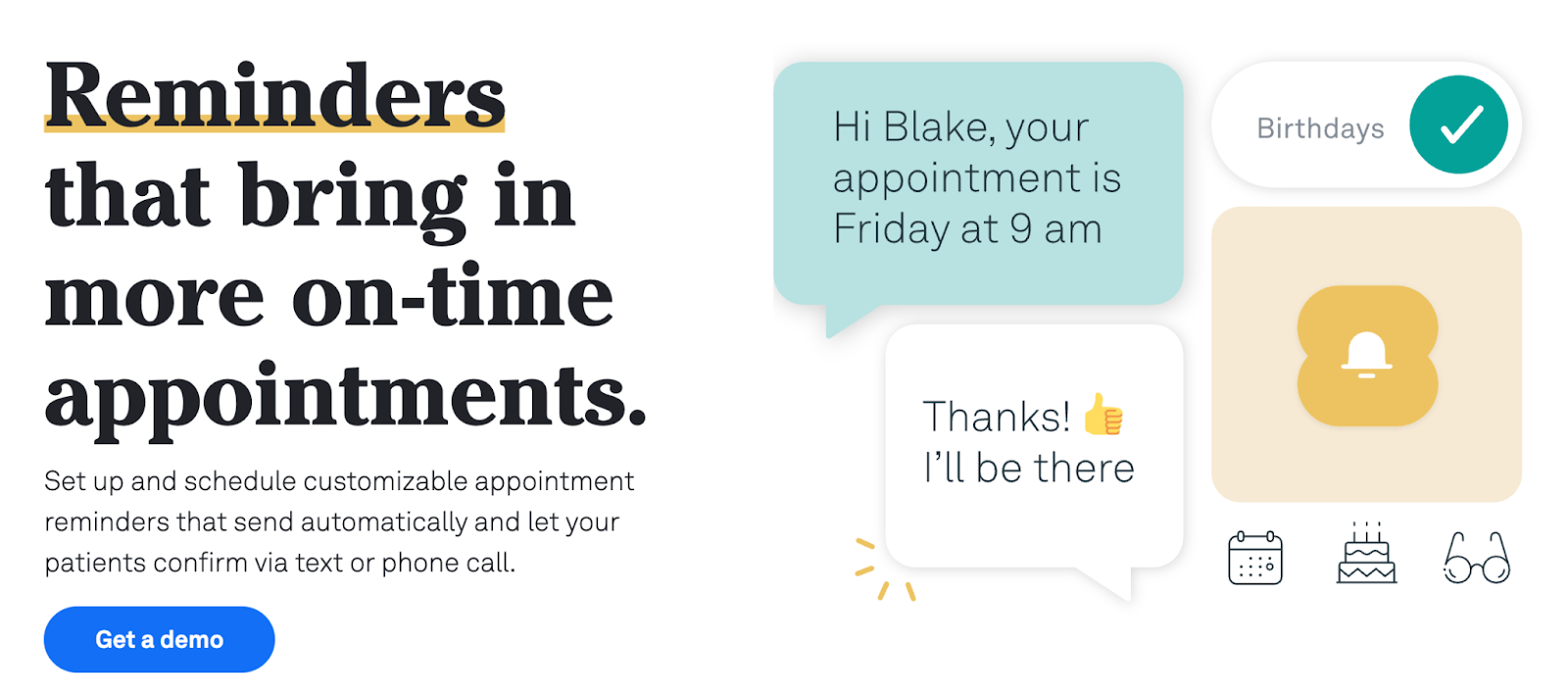
Weave is a unified communications platform that centralizes your practice's front desk operations — phones, texts, appointment scheduling reminders, intake forms, and two-way messaging — into one place. When a patient calls, their info pops up instantly. Staff can reschedule, confirm, and respond without switching systems. For practices looking for virtual receptionist software that also handles automated patient communication, Weave is a natural fit.
Best for: Small to mid-size practices that rely heavily on phone communication and want to shift volume to text and digital channels.
Core benefits
- Automated appointment confirmations, reminders, and follow-ups
- Two-way texting with full patient context visible to staff
- Digital intake forms reduce check-in bottlenecks
- Integrated phone system shows patient details on incoming calls
- Widely adopted across dental, optometry, and medical practices
Cons
- Relies on rule-based automation rather than conversational AI — staff still handle complex interactions
- Not a full practice management or EHR system; needs to be paired with one
- Some users report the onboarding process and contract terms can be inflexible
3. AdvancedMD
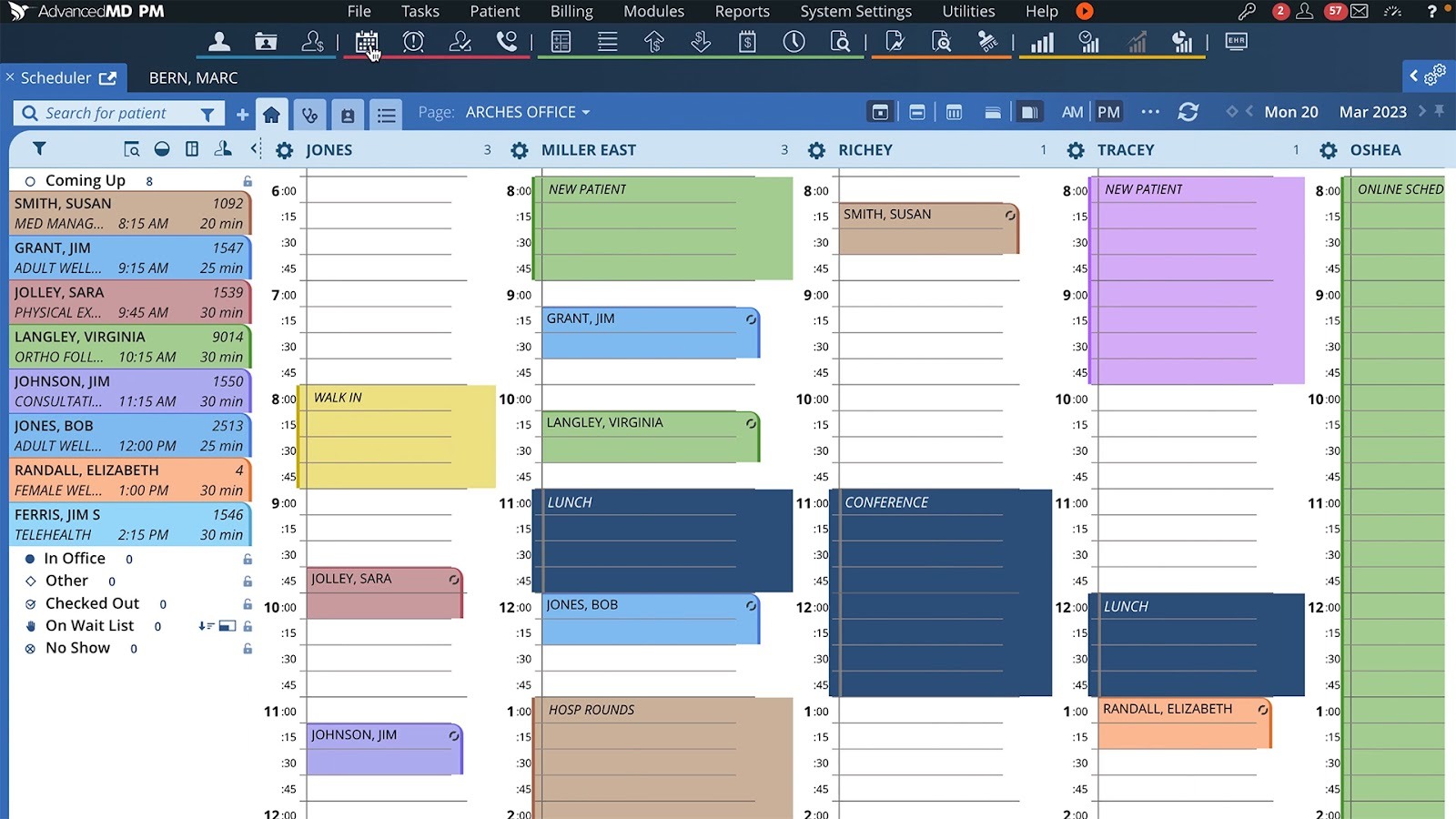
AdvancedMD is a comprehensive cloud-based practice management system built for medical offices of all sizes. It handles everything from drag-and-drop patient appointment scheduling and insurance verification to claims management and analytics — all from a single dashboard. As medical front desk automation software goes, AdvancedMD is one of the most complete solutions available for mid-to-large healthcare practices.
Best for: Mid-size to large practices that want a deeply integrated system spanning front desk, clinical, and billing functions.
Core benefits
- Drag-and-drop appointment scheduling with real-time availability
- Patient self-service portal for check-in, forms, and payments
- Automated insurance eligibility verification
- Strong billing and claims management with electronic submission
- Analytics dashboards for revenue cycle and appointment KPIs
Cons
- Steeper learning curve than lighter-weight tools — staff training required
- Higher cost than basic scheduling or communication tools
- Can feel like more platform than a small solo practice needs
4. DrChrono

DrChrono combines EHR, practice management, and medical billing with a focus on mobile usability. Its iPad-based check-in, mobile-friendly scheduling, and integrated telehealth make it a strong choice for practices that operate on the go or across multiple locations.
Best for: Solo and small practices that want a mobile-first, flexible system with built-in telehealth.
Core benefits
- iPad-based patient check-in with customizable intake forms
- Automated appointment reminders and real-time eligibility checks
- Built-in telehealth for virtual visits
- Flexible note templates and customizable workflows
- Integrated billing reduces claim denials
Cons
- Reporting and analytics are less robust than enterprise competitors
- Billing features can require a learning curve for new users
- Customer support quality is inconsistent based on user reviews
See how Freed works with DrChrono
5. SimplePractice
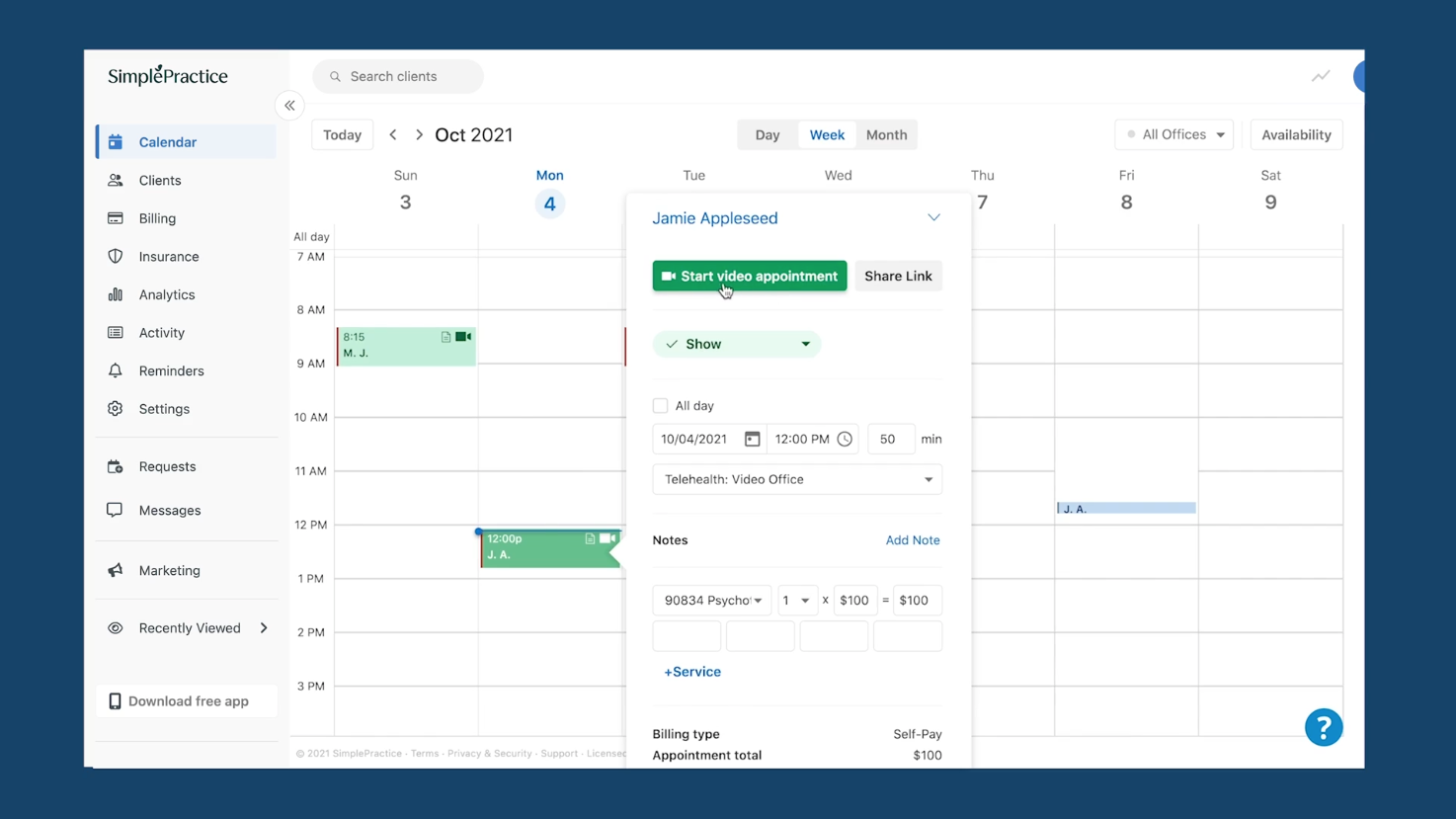
SimplePractice is a favorite for independent clinicians and small group practices. Its clean interface handles scheduling, client portal, billing, and secure messaging — all HIPAA-compliant — without the enterprise complexity of larger platforms.
Best for: Solo practitioners, therapists, and small practices — especially in behavioral health and mental health.
Core benefits
- Intuitive scheduling with recurring appointments and waitlists
- Secure client portal for messaging, documents, and payments
- Automated appointment reminders reduce no-shows
- HIPAA-compliant by design
- Simple, affordable pricing for small practices
Cons
- Limited functionality for multi-provider or multi-location group practices
- Billing and insurance claim tools are less robust than full practice management platforms
- Fewer customization options than enterprise systems
See how Freed works with SimplePractice
6. Tebra
Tebra (the result of the Kareo and PatientPop merger) gives independent practices a full suite covering scheduling, billing, patient communication, and online presence. It's designed specifically for outpatient, non-hospital settings.
Best for: Independent outpatient practices that want front desk, billing, and patient engagement in one system.
Core benefits
- All-in-one scheduling, billing, and patient communication
- Built-in reputation management and online booking
- Automated reminders and patient intake
- Strong billing and insurance claim tools
- Designed specifically for independent practices — not enterprise
Cons
- The Kareo/PatientPop merger has led to some platform inconsistencies and user confusion during the transition
- Customer support can be slow to respond during peak periods
- Reporting tools are less advanced than competitors like AdvancedMD
See how Freed works with Tebra
7. Sully.ai
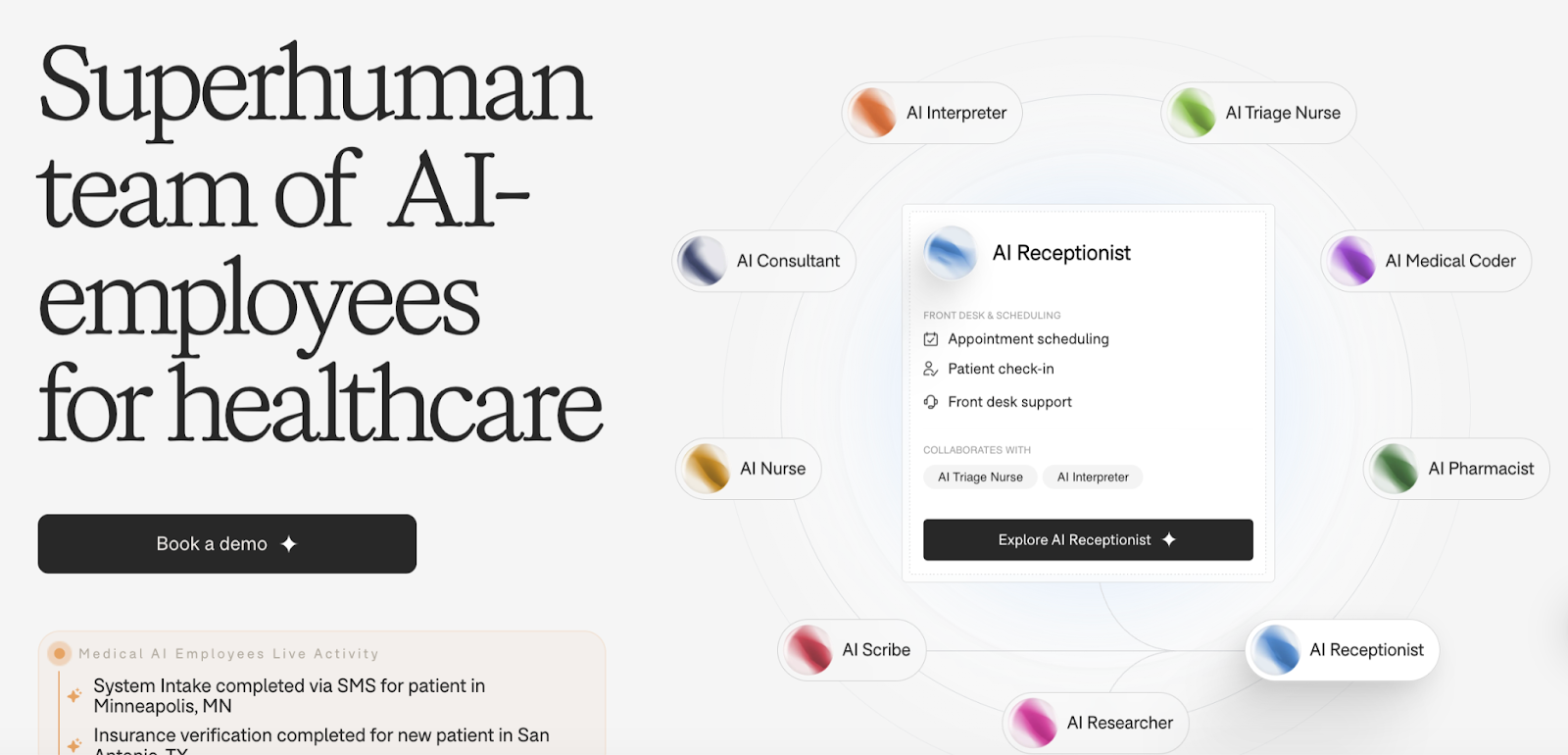
Sully.ai takes a modular approach: rather than a single product, it offers interchangeable AI roles — receptionist, scribe, interpreter, and coder — that can be deployed individually or together. Backed by Y Combinator, it's built for clinics that want to expand AI adoption step by step.
Best for: AI-forward clinics that want to start with one AI role and expand over time.
Core benefits
- Modular: add roles as your needs grow
- Integrates with major EHRs including Epic and athenahealth
- AI receptionist handles intake, triage, and scheduling
- Rapid deployment — pilot to production in weeks
- Multimodal: voice, text, and medical context awareness
Cons
- As a newer startup, fewer field-tested case studies than established platforms
- Compliance certifications and enterprise pricing details are not fully public
- Long-term scalability is less proven than mature competitors
8. Luma Health
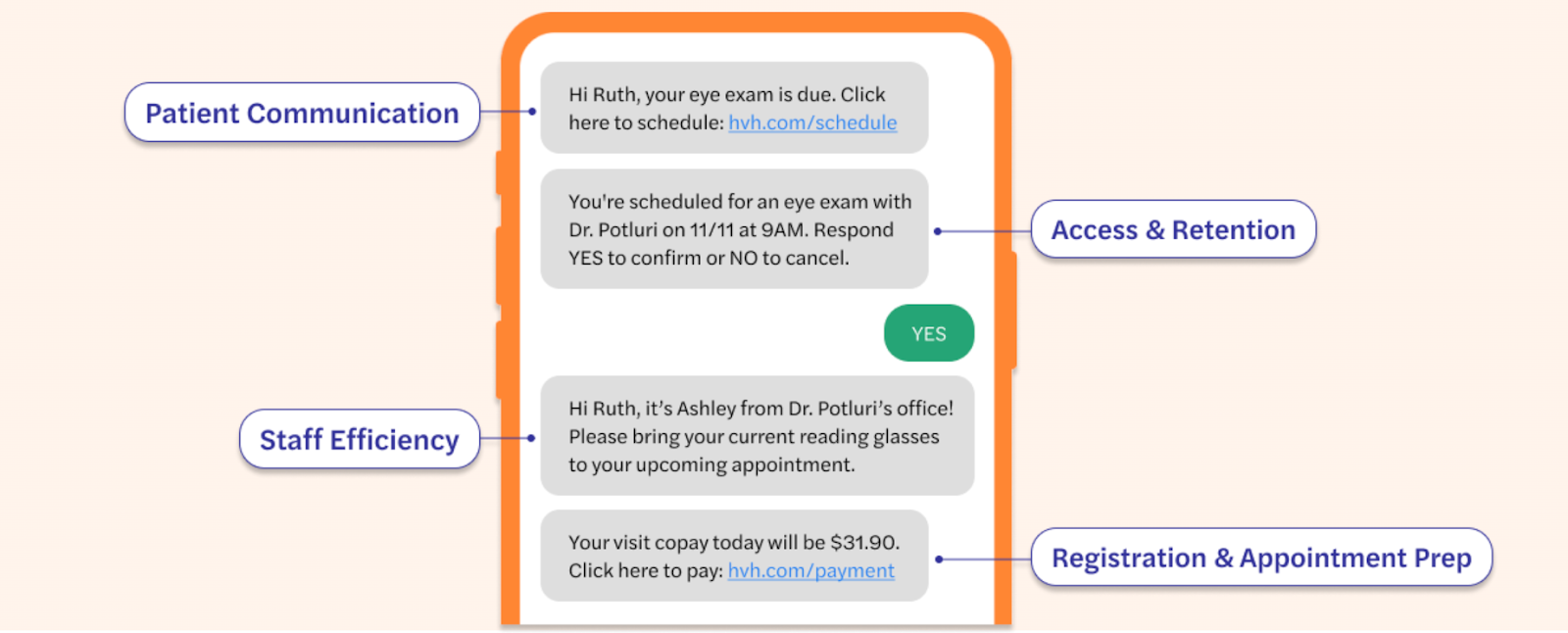
Luma Health focuses on the full patient journey — from patient appointment scheduling and reminders to referral management and care gap outreach. It integrates with major EHRs and automates the patient scheduling automation and communication touchpoints that front desk staff typically handle manually. For healthcare organizations struggling with no-shows and gaps in automated patient communication, Luma is purpose-built for this problem.
Best for: Multi-location practices and health systems with high patient volume and complex scheduling needs.
Core benefits
- Automated appointment reminders, confirmations, and rescheduling
- Patient self-scheduling with real-time availability
- Care gap outreach and recall campaigns
- Referral tracking and coordination
- Integrates with major EHR platforms
Cons
- Focused on engagement and scheduling — not a full practice management or billing solution
- Implementation complexity increases for large health systems with many EHR configurations
- Pricing is not publicly listed; requires a demo and custom quote
9. Portiva
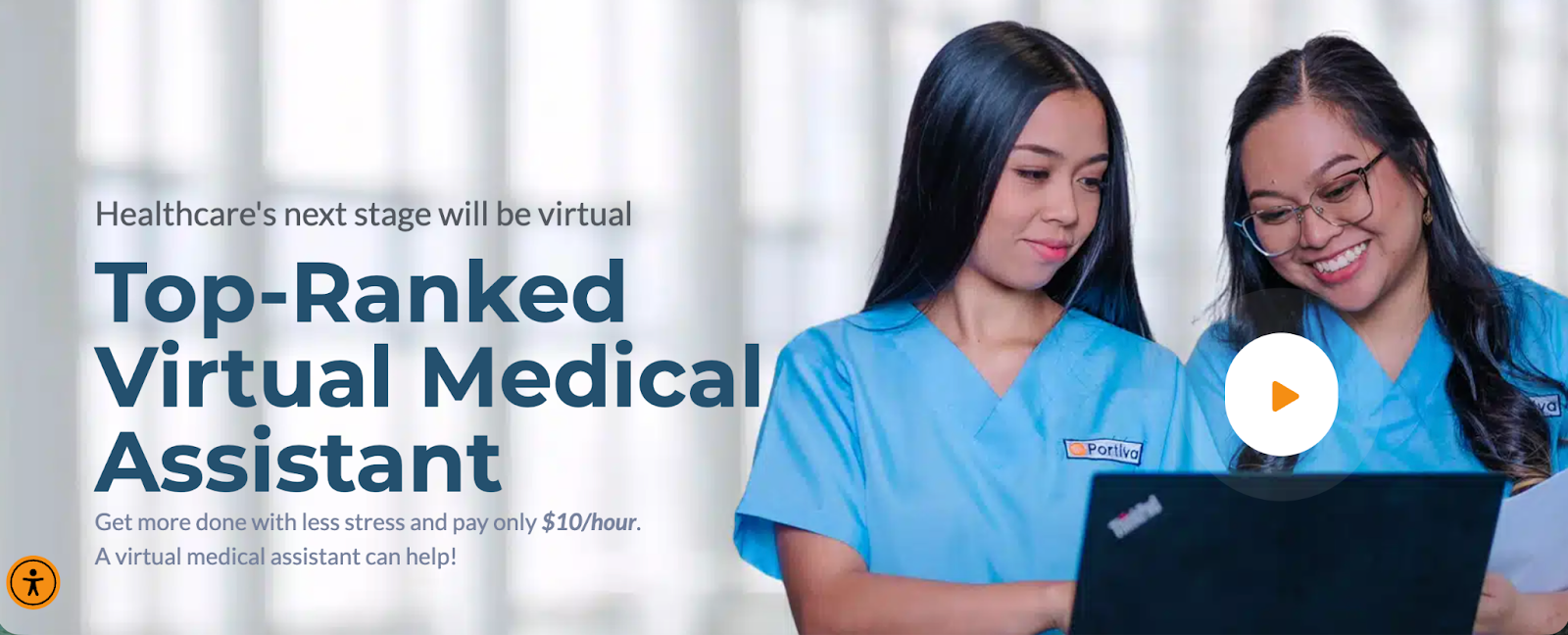
Portiva provides remote virtual medical assistants who are pre-trained in healthcare workflows, EHR systems, and HIPAA compliance. Unlike AI receptionist software, Portiva's virtual receptionists are human — handling calls, patient appointment scheduling, prior authorizations, and documentation support with genuine human judgment. For practices that want the feel of an in-house medical receptionist without the overhead, Portiva delivers healthcare-trained virtual receptionist software backed by real people.
Best for: Practices that need flexible, human-powered administrative support without the overhead of a full-time employee.
Core benefits
- Human virtual receptionists trained specifically in medical office workflows
- Support for appointment scheduling, prior auth, billing, and documentation
- Works with most major EHR systems
- HIPAA-compliant processes
- Flexible, per-hour or monthly pricing — scale as needed
Cons
- Human staff means higher per-hour cost than fully automated AI tools
- Availability depends on scheduling — unlike AI, virtual receptionists aren't instant 24/7
- Quality can vary between individual assistants; onboarding and management takes time
10. Mend

Mend started as a telehealth platform and evolved into a comprehensive digital intake form and patient engagement system. The company markets itself as being for “mental health and behavioral healthcare organizations.” It handles intake forms, appointment prep, technology checks, and telehealth visits — all in one environment. Its predictive scheduling intelligence drives patient scheduling automation by identifying cancellation patterns and triggering re-engagement automatically, reducing the manual front desk work that typically consumes staff time.
Best for: Practices that offer hybrid or fully virtual care and want to automate the intake and check-in workflow.
Core benefits
- Digital intake with guided form completion before visits
- Predictive patient scheduling automation reduces cancellations and fills gaps
- Integrated telehealth — intake and video visit in one place
- Automated reminders and follow-up communications
- Reduces manual data collection and back-and-forth
Cons
- Not a fully autonomous AI receptionist — relies on structured automation rather than conversational AI
- Specializing in mental/behavioral health
- EHR integration depth varies depending on the clinic's existing systems
- Less suited for in-person-only practices that don't use telehealth
11. Klinic
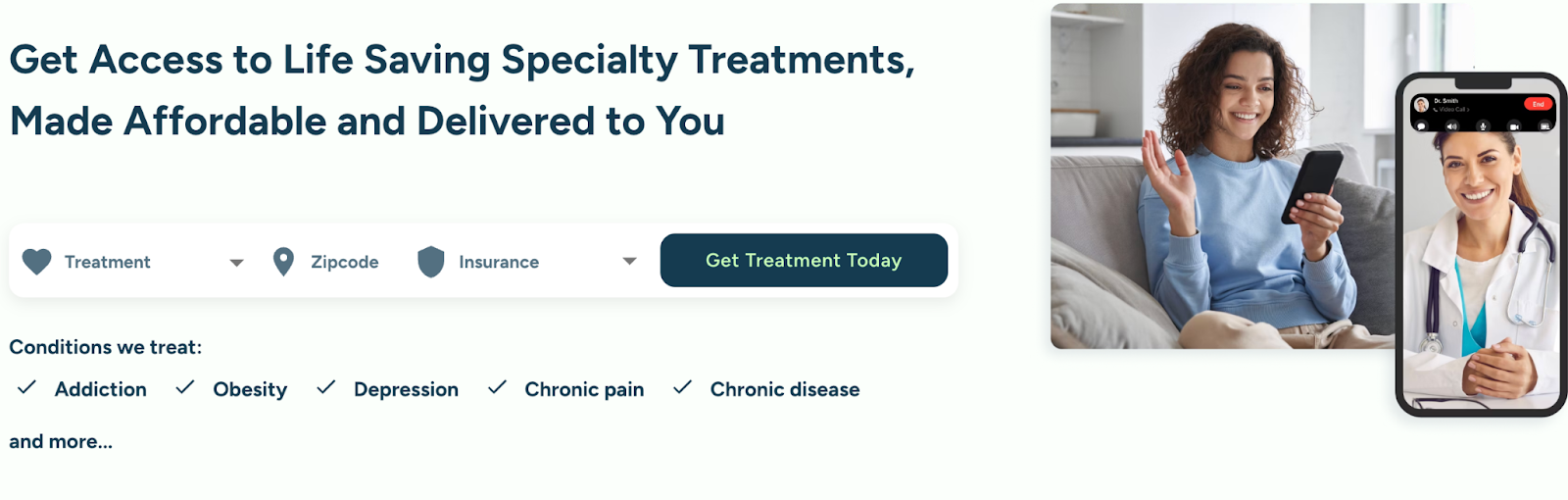
Klinic is a dedicated AI medical receptionist platform focused on making sure every patient inquiry — call, text, or email — gets a fast response, day or night. It handles patient appointment scheduling, benefit verification, and onboarding, and is specifically designed for practices that want to convert more inquiries into booked appointments. As AI front desk software goes, Klinic's emphasis on patient conversion and automated patient communication sets it apart from pure scheduling tools.
Core benefits
- 24/7 AI receptionist for calls, texts, emails, and appointment scheduling
- Automated benefit verification before appointments
- Continuous coverage for overflow and after-hours
- Patient conversion focus — reduces lost inquiries
- Clients report $25,000+ in annual savings from reduced staffing needs
Cons
- Does not handle clinical documentation, billing, or notes — front desk only
- Effectiveness depends on smooth integration with your existing EHR or PMS
- Complex or sensitive patient conversations still require escalation to human staff
Final thoughts: The right “receptionist” depends on your bottleneck
There’s no single “best” medical receptionist software; only the best solution for your workflow constraints.
If your front desk is drowning in calls and missed after-hours inquiries, an AI receptionist like Klinic may immediately reduce leakage and boost booked appointments.
If scheduling friction and patient engagement gaps are your biggest issue, tools like Luma Health or Weave can automate reminders and digital intake — and a roundup of the best patient scheduling software can help you compare options purpose-built for healthcare booking.
If you want a fully integrated operational backbone, enterprise systems like AdvancedMD or Tebra consolidate scheduling, billing, and analytics into one ecosystem.
And if your real bottleneck isn’t the front desk at all, but the documentation burden that follows every visit — an AI documentation platform like Freed addresses the hours clinicians spend charting after the last patient leaves.
The key is to start by identifying where time and revenue is leaking, and select the solution that fixes that first. You’ll protect clinician time and make it easier for patients to receive care.


Table of Contents
Medical receptionists are skilled, empathetic people managing complex workflows from memory — juggling phones, walk-ins, insurance questions, and scheduling conflicts simultaneously. They're invaluable. They're also human. And in a busy practice, human bandwidth runs out fast.
A front‑office team that spends minutes rather than hours on repetitive tasks can focus on what really matters: welcoming patients and keeping the schedule on track.
Recent industry data suggests that roughly 70–85% of U.S. medical practices now use some form of digital practice management or reception software for scheduling, billing, or intake. A digital or AI-driven front desk can alleviate much of the multitasking that has traditionally fallen on front office teams.
With all of that in mind, we’ve explored 12 top medical receptionist software tools being used by
Front desk and medical receptionist tools: Quick comparison table
| Category | Tool | Core focus | Best for | Key strength | Key limitation |
|---|---|---|---|---|---|
| AI front desk / conversational AI receptionist | Freed | AI receptionist that answers calls, captures structured intake, and triages patient requests | Small clinics needing reliable call coverage and fewer missed requests | Always-on call handling with resolution-focused intake | Early rollout; not a full PM/EHR platform |
| AI modular roles (reception + scribe + more) | Sully.ai | Modular AI roles (receptionist, scribe, interpreter, coder) | AI-forward clinics scaling AI | Expand AI capabilities over time | Newer platform; less field-tested |
| AI front desk / conversational AI receptionist | Klinic | 24/7 AI receptionist handling calls, texts, benefits verification | Practices losing revenue to missed calls | After-hours coverage and patient conversion | No billing or clinical documentation |
| Patient communication & engagement platforms | Weave | Unified phones, texting, reminders, intake forms | Small–mid practices shifting from phone to digital | Centralized communication | Not full PM/EHR |
| Patient communication & engagement platforms | Luma Health | Scheduling automation, care gap outreach, referral tracking | Multi-location practices, health systems | Advanced scheduling and recall automation | No billing module |
| Patient communication & engagement platforms | Mend | Digital intake + telehealth + predictive scheduling | Behavioral health, hybrid care models | Intake-to-video workflow | Not autonomous AI receptionist |
| Full practice management (PM + EHR + billing) | AdvancedMD | Enterprise PM + billing + analytics | Mid-large practices | Deep integration across scheduling, billing, analytics | Steep learning curve |
| Full practice management (PM + EHR + billing) | DrChrono | Mobile-first EHR + PM + billing + telehealth | Solo/small mobile practices | iPad check-in and telehealth | Lighter analytics |
| Full practice management (PM + EHR + billing) | Tebra | PM + billing + patient engagement | Independent outpatient practices | All-in-one for independents | Reporting less robust |
| Full practice management (PM + EHR + billing) | SimplePractice | Lightweight PM + client portal + billing | Solo clinicians, therapists | Clean UI and affordability | Limited multi-location scalability |
| Human-powered virtual reception | Portiva | Remote, trained human medical assistants | Practices wanting human judgment without hiring FTE | Real humans handle complex workflows | Higher per-hour cost than AI |
Core functionalities in medical receptionist tools
Not all medical receptionist software covers the same ground. Before evaluating specific tools, it helps to know which features actually move the needle, and why. Here's what to look for:
| Feature | What it does | Why it matters |
|---|---|---|
| Appointment scheduling | Real-time calendar, automated reminders, provider-specific rules | Cuts down on no-shows and balances provider load |
| Patient self check-in | Kiosk or mobile QR code, insurance capture, consent forms | Reduces front-desk bottlenecks |
| Billing and insurance integration | Claim generation, eligibility verification, payment posting | Speeds revenue cycle and lowers errors |
| Reporting and analytics | Daily volumes, wait times, revenue trends | Informs staffing and growth decisions |
| Secure messaging | HIPAA-compliant chat between staff and patients | Improves satisfaction and reduces phone traffic |
| Telehealth lobby | Virtual waiting room and visit link generation | Bridges in-person and remote visits |
| Role-based access control | Granular permissions and audit logs | Meets compliance requirements and protects PHI |
12 best medical receptionist software tools [2026]
1. Freed
Freed is a flexible, always-on AI receptionist built for modern clinics. It answers patient calls, captures structured intake, and triages requests so nothing falls through the cracks — helping clinics book more appointments and reduce the chaos of phone tag and voicemail.
Instead of forcing patients through rigid phone trees or endless hold times, Freed focuses on resolution. Calls are answered, requests are captured with structured next steps, and clinic teams can follow up quickly when human judgment is needed.
Freed is the industry-leading AI scribe, and is evolving above an AI documentation platform already trusted by 26,000+ clinicians. Now, it extends that same clinician-first philosophy to the front desk — helping smaller practices handle patient communication without needing to expand staff.
Best for:
Small and growing clinics that want reliable call coverage, structured intake, and fewer missed patient requests.
Core benefits
- Answers patient calls and captures structured intake automatically
- Triages patient requests so teams know exactly what needs follow-up
- Reduces missed calls and voicemail backlog
- Helps convert incoming calls into booked appointments
- Provides clear summaries and next steps for clinic staff
- Designed for smaller clinics that need front desk coverage without adding complexity
Cons
- Currently in early rollout / alpha
- Not a full practice management or billing system
- Works best as a front desk assistant rather than a complete communications platform
2. Weave
Weave is a unified communications platform that centralizes your practice's front desk operations — phones, texts, appointment scheduling reminders, intake forms, and two-way messaging — into one place. When a patient calls, their info pops up instantly. Staff can reschedule, confirm, and respond without switching systems. For practices looking for virtual receptionist software that also handles automated patient communication, Weave is a natural fit.
Best for: Small to mid-size practices that rely heavily on phone communication and want to shift volume to text and digital channels.
Core benefits
- Automated appointment confirmations, reminders, and follow-ups
- Two-way texting with full patient context visible to staff
- Digital intake forms reduce check-in bottlenecks
- Integrated phone system shows patient details on incoming calls
- Widely adopted across dental, optometry, and medical practices
Cons
- Relies on rule-based automation rather than conversational AI — staff still handle complex interactions
- Not a full practice management or EHR system; needs to be paired with one
- Some users report the onboarding process and contract terms can be inflexible
3. AdvancedMD
AdvancedMD is a comprehensive cloud-based practice management system built for medical offices of all sizes. It handles everything from drag-and-drop patient appointment scheduling and insurance verification to claims management and analytics — all from a single dashboard. As medical front desk automation software goes, AdvancedMD is one of the most complete solutions available for mid-to-large healthcare practices.
Best for: Mid-size to large practices that want a deeply integrated system spanning front desk, clinical, and billing functions.
Core benefits
- Drag-and-drop appointment scheduling with real-time availability
- Patient self-service portal for check-in, forms, and payments
- Automated insurance eligibility verification
- Strong billing and claims management with electronic submission
- Analytics dashboards for revenue cycle and appointment KPIs
Cons
- Steeper learning curve than lighter-weight tools — staff training required
- Higher cost than basic scheduling or communication tools
- Can feel like more platform than a small solo practice needs
4. DrChrono
DrChrono combines EHR, practice management, and medical billing with a focus on mobile usability. Its iPad-based check-in, mobile-friendly scheduling, and integrated telehealth make it a strong choice for practices that operate on the go or across multiple locations.
Best for: Solo and small practices that want a mobile-first, flexible system with built-in telehealth.
Core benefits
- iPad-based patient check-in with customizable intake forms
- Automated appointment reminders and real-time eligibility checks
- Built-in telehealth for virtual visits
- Flexible note templates and customizable workflows
- Integrated billing reduces claim denials
Cons
- Reporting and analytics are less robust than enterprise competitors
- Billing features can require a learning curve for new users
- Customer support quality is inconsistent based on user reviews
See how Freed works with DrChrono
5. SimplePractice
SimplePractice is a favorite for independent clinicians and small group practices. Its clean interface handles scheduling, client portal, billing, and secure messaging — all HIPAA-compliant — without the enterprise complexity of larger platforms.
Best for: Solo practitioners, therapists, and small practices — especially in behavioral health and mental health.
Core benefits
- Intuitive scheduling with recurring appointments and waitlists
- Secure client portal for messaging, documents, and payments
- Automated appointment reminders reduce no-shows
- HIPAA-compliant by design
- Simple, affordable pricing for small practices
Cons
- Limited functionality for multi-provider or multi-location group practices
- Billing and insurance claim tools are less robust than full practice management platforms
- Fewer customization options than enterprise systems
See how Freed works with SimplePractice
6. Tebra
Tebra (the result of the Kareo and PatientPop merger) gives independent practices a full suite covering scheduling, billing, patient communication, and online presence. It's designed specifically for outpatient, non-hospital settings.
Best for: Independent outpatient practices that want front desk, billing, and patient engagement in one system.
Core benefits
- All-in-one scheduling, billing, and patient communication
- Built-in reputation management and online booking
- Automated reminders and patient intake
- Strong billing and insurance claim tools
- Designed specifically for independent practices — not enterprise
Cons
- The Kareo/PatientPop merger has led to some platform inconsistencies and user confusion during the transition
- Customer support can be slow to respond during peak periods
- Reporting tools are less advanced than competitors like AdvancedMD
See how Freed works with Tebra
7. Sully.ai
Sully.ai takes a modular approach: rather than a single product, it offers interchangeable AI roles — receptionist, scribe, interpreter, and coder — that can be deployed individually or together. Backed by Y Combinator, it's built for clinics that want to expand AI adoption step by step.
Best for: AI-forward clinics that want to start with one AI role and expand over time.
Core benefits
- Modular: add roles as your needs grow
- Integrates with major EHRs including Epic and athenahealth
- AI receptionist handles intake, triage, and scheduling
- Rapid deployment — pilot to production in weeks
- Multimodal: voice, text, and medical context awareness
Cons
- As a newer startup, fewer field-tested case studies than established platforms
- Compliance certifications and enterprise pricing details are not fully public
- Long-term scalability is less proven than mature competitors
8. Luma Health
Luma Health focuses on the full patient journey — from patient appointment scheduling and reminders to referral management and care gap outreach. It integrates with major EHRs and automates the patient scheduling automation and communication touchpoints that front desk staff typically handle manually. For healthcare organizations struggling with no-shows and gaps in automated patient communication, Luma is purpose-built for this problem.
Best for: Multi-location practices and health systems with high patient volume and complex scheduling needs.
Core benefits
- Automated appointment reminders, confirmations, and rescheduling
- Patient self-scheduling with real-time availability
- Care gap outreach and recall campaigns
- Referral tracking and coordination
- Integrates with major EHR platforms
Cons
- Focused on engagement and scheduling — not a full practice management or billing solution
- Implementation complexity increases for large health systems with many EHR configurations
- Pricing is not publicly listed; requires a demo and custom quote
9. Portiva
Portiva provides remote virtual medical assistants who are pre-trained in healthcare workflows, EHR systems, and HIPAA compliance. Unlike AI receptionist software, Portiva's virtual receptionists are human — handling calls, patient appointment scheduling, prior authorizations, and documentation support with genuine human judgment. For practices that want the feel of an in-house medical receptionist without the overhead, Portiva delivers healthcare-trained virtual receptionist software backed by real people.
Best for: Practices that need flexible, human-powered administrative support without the overhead of a full-time employee.
Core benefits
- Human virtual receptionists trained specifically in medical office workflows
- Support for appointment scheduling, prior auth, billing, and documentation
- Works with most major EHR systems
- HIPAA-compliant processes
- Flexible, per-hour or monthly pricing — scale as needed
Cons
- Human staff means higher per-hour cost than fully automated AI tools
- Availability depends on scheduling — unlike AI, virtual receptionists aren't instant 24/7
- Quality can vary between individual assistants; onboarding and management takes time
10. Mend
Mend started as a telehealth platform and evolved into a comprehensive digital intake form and patient engagement system. The company markets itself as being for “mental health and behavioral healthcare organizations.” It handles intake forms, appointment prep, technology checks, and telehealth visits — all in one environment. Its predictive scheduling intelligence drives patient scheduling automation by identifying cancellation patterns and triggering re-engagement automatically, reducing the manual front desk work that typically consumes staff time.
Best for: Practices that offer hybrid or fully virtual care and want to automate the intake and check-in workflow.
Core benefits
- Digital intake with guided form completion before visits
- Predictive patient scheduling automation reduces cancellations and fills gaps
- Integrated telehealth — intake and video visit in one place
- Automated reminders and follow-up communications
- Reduces manual data collection and back-and-forth
Cons
- Not a fully autonomous AI receptionist — relies on structured automation rather than conversational AI
- Specializing in mental/behavioral health
- EHR integration depth varies depending on the clinic's existing systems
- Less suited for in-person-only practices that don't use telehealth
11. Klinic
Klinic is a dedicated AI medical receptionist platform focused on making sure every patient inquiry — call, text, or email — gets a fast response, day or night. It handles patient appointment scheduling, benefit verification, and onboarding, and is specifically designed for practices that want to convert more inquiries into booked appointments. As AI front desk software goes, Klinic's emphasis on patient conversion and automated patient communication sets it apart from pure scheduling tools.
Core benefits
- 24/7 AI receptionist for calls, texts, emails, and appointment scheduling
- Automated benefit verification before appointments
- Continuous coverage for overflow and after-hours
- Patient conversion focus — reduces lost inquiries
- Clients report $25,000+ in annual savings from reduced staffing needs
Cons
- Does not handle clinical documentation, billing, or notes — front desk only
- Effectiveness depends on smooth integration with your existing EHR or PMS
- Complex or sensitive patient conversations still require escalation to human staff
Final thoughts: The right “receptionist” depends on your bottleneck
There’s no single “best” medical receptionist software; only the best solution for your workflow constraints.
If your front desk is drowning in calls and missed after-hours inquiries, an AI receptionist like Klinic may immediately reduce leakage and boost booked appointments.
If scheduling friction and patient engagement gaps are your biggest issue, tools like Luma Health or Weave can automate reminders and digital intake — and a roundup of the best patient scheduling software can help you compare options purpose-built for healthcare booking.
If you want a fully integrated operational backbone, enterprise systems like AdvancedMD or Tebra consolidate scheduling, billing, and analytics into one ecosystem.
And if your real bottleneck isn’t the front desk at all, but the documentation burden that follows every visit — an AI documentation platform like Freed addresses the hours clinicians spend charting after the last patient leaves.
The key is to start by identifying where time and revenue is leaking, and select the solution that fixes that first. You’ll protect clinician time and make it easier for patients to receive care.
FAQs
Frequently asked questions from clinicians and medical practitioners.

Will AI replace medical receptionists?

What is an AI front desk in healthcare?
Is Freed Front Desk a virtual medical receptionist or a live person?
What information is collected during patient intake?
Related content
Free yourself for better things


548 Market Street, PMB 95301
San Francisco, CA 94104
Specialties
Compliance & Security
Our technology is HIPAA-compliant, uses industry best practices, and doesn’t store patient recordings.



